ARTURIA – PROPHET V - MANUAL
112
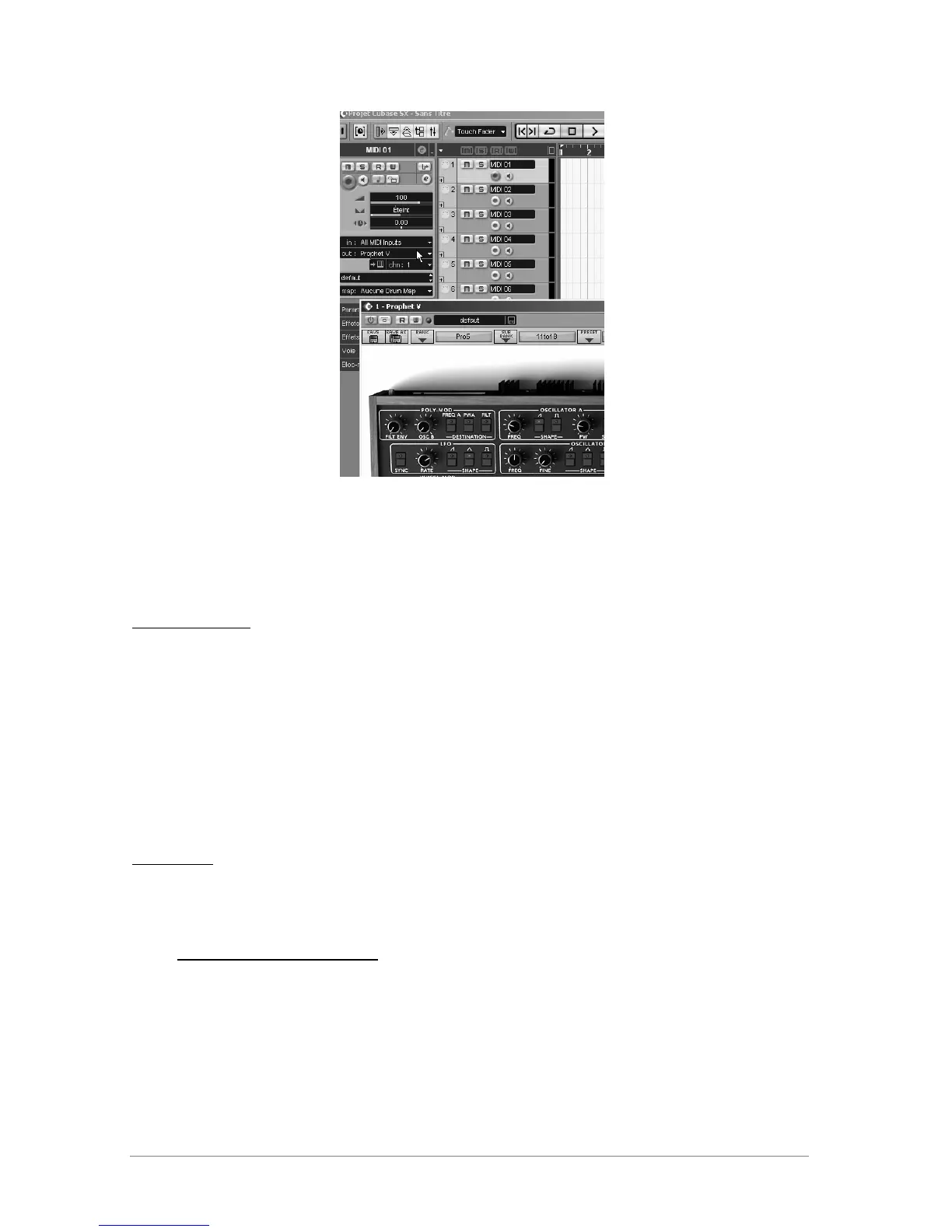
Connection of a MIDI track to Prophet V
The events played on a MIDI keyboard are recorded by your host sequencer, and now you can
use the MIDI editing possibilities of the sequencer to control any parameter with Prophet V.
Saving of presets
When the session/project is saved, Prophet V is saved in its last mode of operation, with all
modifications intact. For instance, if you were working on a “P1” preset in which you have
modified parameters (without saving them as a separate voice in the plug-in itself), at the next
opening of the piece, Prophet V will load the “P1” preset and the modifications.
The drop-down menu which the VST sequencer allows you to save a new voice is of course
usable with Prophet V. However, it is highly advised to use the Prophet V internal menu: the
presets saved in this way are usable in any other mode (standalone or other sequencer), they
can be exported and exchanged more easily, and they will remain compatible with the future
Prophet V versions.
Automation
The automation works the same with Prophet V as with any VST plug-in (for more detail about
automation, refer to the VST sequencer documentation).
8.3 Audio Unit (Max OSX only)
8.3.1 Installation
The Audio Unit plug-in is automatically installed in the folder reserved for this purpose, in
/Library/Audio/Plug-Ins/Components/














 To Next Page