ARTURIA – PROPHET V - MANUAL
87
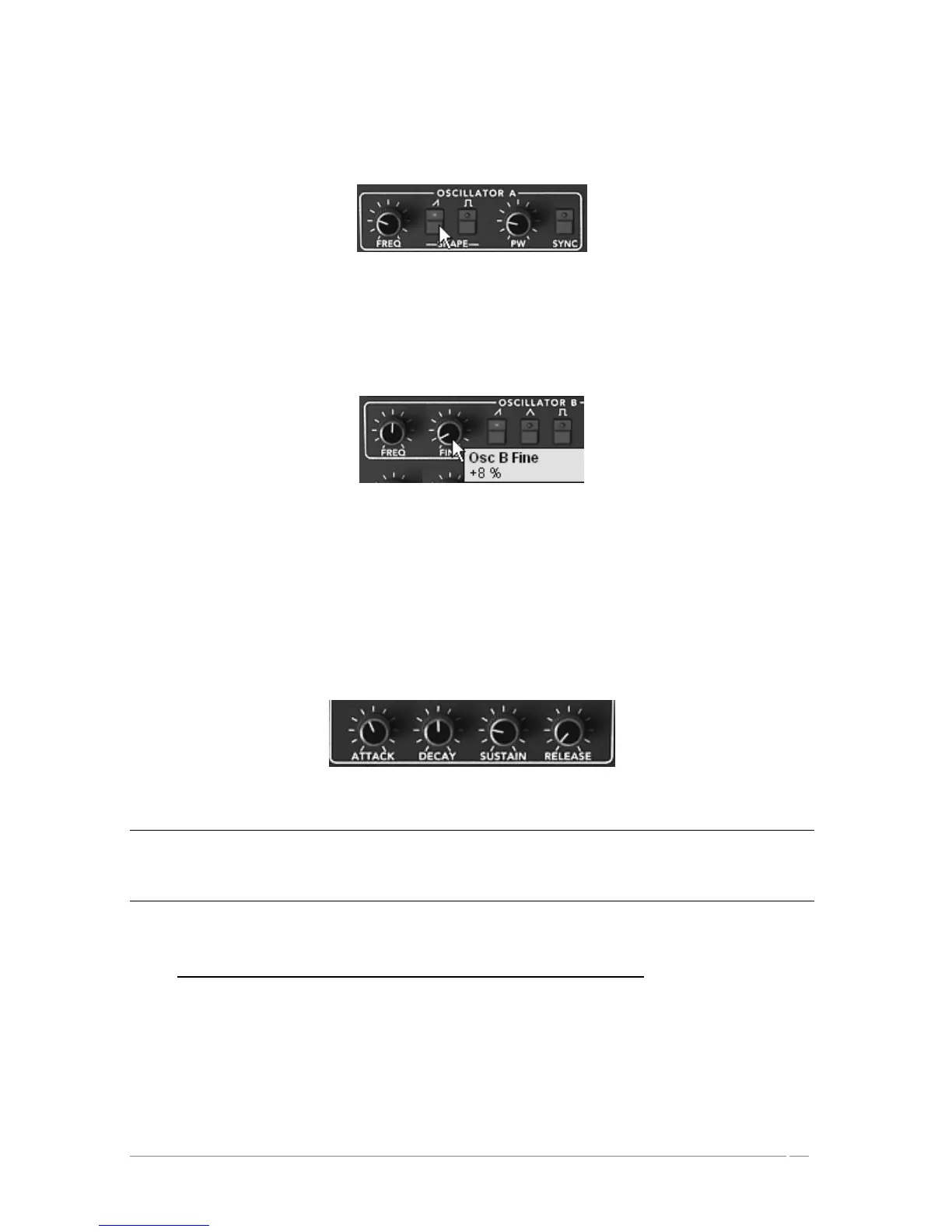
Click on the button of oscillator A. This represents the saw tooth wave-form of oscillator
A. When you hold a note, the sound appears strong and bright.
Click the “saw tooth button” of oscillator A
Do the same thing with the (Insert Saw button image) button of oscillator B.
You can also lightly detune oscillator A to attain a bigger and livelier sound
Lightly detune oscillator 2
Lower the cut-off frequency of the filter (“Frequency” knob) by turning the knob to the
center value (use a value around 200.00). This will make the sound softer and allow you
to better hear the effect that the envelope has on the filter.
On the ADSR envelope found below the filter, increase the attack time to about “40ms”.
Lower the Decay value to about 200ms and the sustain to around 0.25. The duration
becomes shorter.
Settings of the filter envelope
Save the sound under the name “brass1”. You can reuse it later.
To do that, click on the “Save as” button then choose the option “new bank” (at the bottom of the menu). Give a
name to the bank (for example “brass”) then to the preset (“brass1”). You can also simply add a new preset in the
current “Pro5” bank and sub-bank “Brass”. Then just rename your preset using the option “New Preset”.
7.2 Pad sound with the Frequency Modulation using the Prophet 5
Let’s take the “brass1” sound that we just made to make the next preset.
We're going to see how to surpass the programming limitations of the classic Prophet 5 (those
with which we just created the “brass1” preset) by using the “Poly modulation” section and the
LFO.














 To Next Page