EasyManua.ls Logo

Aruba Networks AP-585 - User Manual

Default Icon
19 pages
Print Icon
To Next Page IconTo Next Page
Loading...
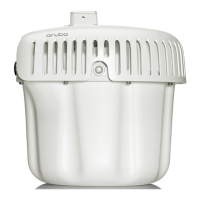
Aruba 580 Series Outdoor Access Points
Installation Guide
Rev 01 | March 2022 1
The Aruba 580 Series outdoor wireless access points (AP-584, AP-585 and AP-587) support the IEEE 802.11ax
standard, delivering high performance with the MIMO (Multiple-Input, Multiple-Output) and OFDMA (Orthogonal
Frequency Division Multiple Access) technologies, while also supporting 802.11a/b/g/n/ac wireless services.
Package Contents
580 Series access point
M20 cable gland x 2
USB Type-C console cable x 1
Ground lug kit x 1
2.4GHz Vpol N-type BLE antenna x 1 (AP-584 only)
Tools Required
Phillips screwdriver (#2 for M4x6 screw)
Flat blade screwdriver (for Ethernet port cap)
8mm Allen or hex key (for USB console cap)
The weatherproof caps for Ethernet, AC and Console interfaces are connected to the access point, not loose in
the package.
Mounting kits for use with the 580 Series access points are sold separately. Contact your Aruba sales
representative for details.
Inform your supplier if there are any incorrect, missing, or damaged parts. If possible, retain the carton,
including the original packing materials. Use these materials to repack and return the unit to the supplier if
needed.
Question and Answer IconNeed help?

Do you have a question about the Aruba Networks AP-585 and is the answer not in the manual?

Summary

Outdoor Planning and Deployment Considerations

Identifying Specific Installation Locations

Using RF Plan software for placement.

Identifying Known RF Absorbers;Reflectors;Interference Sources

Identifying factors impacting RF propagation.

Access Point Installation

Note on service by trained personnel.

Using Mount Kits

Grounding the Access Point

Steps for grounding the access point.

Connecting the Ethernet Cable

Steps for connecting the Ethernet cable.

Software

Environmental

Safety and Regulatory Compliance

RF exposure, modifications, and general safety.

Summary

Outdoor Planning and Deployment Considerations

Identifying Specific Installation Locations

Using RF Plan software for placement.

Identifying Known RF Absorbers;Reflectors;Interference Sources

Identifying factors impacting RF propagation.

Access Point Installation

Note on service by trained personnel.

Using Mount Kits

Grounding the Access Point

Steps for grounding the access point.

Connecting the Ethernet Cable

Steps for connecting the Ethernet cable.

Software

Environmental

Safety and Regulatory Compliance

RF exposure, modifications, and general safety.

Aruba Networks AP-585 Specifications

General IconGeneral
ModelAP-585
Wi-Fi CERTIFIEDYes
Operating Frequency2.4 GHz, 5 GHz
MIMOYes
Spatial streams4x4
MU-MIMOYes
OFDMAYes
Wi-Fi Standard802.11ax
Power over Ethernet802.3at
USB Port1x USB 2.0
Mounting OptionsCeiling, Wall
Dimensions220mm x 220mm
RadioDual-radio (2.4 GHz and 5 GHz)

Related product manuals