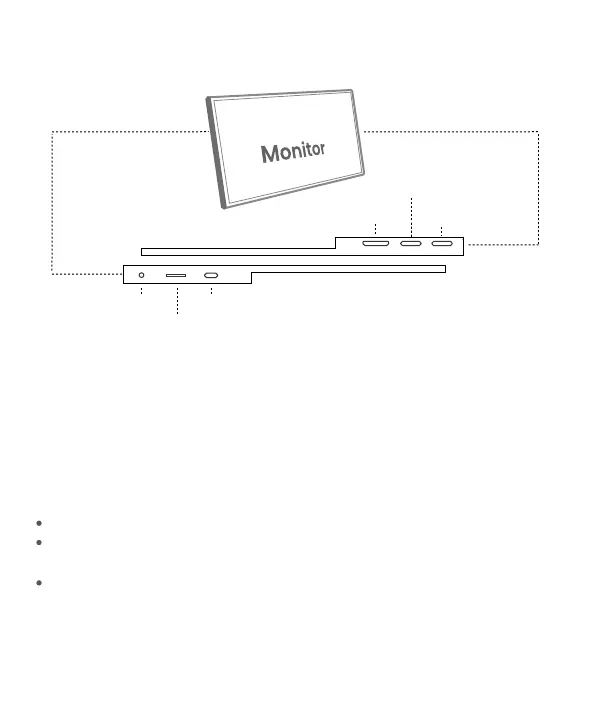
Mini HDMI Port : Receive audio/video signals.
USB Type-C Function Port1/Port2 : USB C 3.1 support reversible insertion
and reverse charging.
Compatible with USB PD2.0 power supply,supports 5V /9V /12V /15V /20V
input .
02
Mini HDMI Port
USB Type-C Full
Function Port 2
USB Type-C
Full Function Port 1
Turning Button
Power / Return Button
Power/Return Button : Press and hold ~3 seconds to turn on/off the monitor.
Turning Button :
OSD Menu: Press to enter OSD menu.
UP/DOWN turning switch: When in a menu, press Turning Button to select
menu item.
Brightness/Volume Adjustment: When not on a menu, push the Turning
Button UP once for the Brightness quick-access. Or push the Turning Button
DOWN once for the Volume quick-access.
3.5 mm Audio Out Port :
To connect to 3.5 mm-compatible external audio device.
Monitor Introduction
3.5 mm Audio Out Port


 To Next Page