13
flashing backlight cease after 10 seconds or when
the alarm is canceled.
Canceling the Approach Timer Alarm
◆
If a mode other than approach is active, press
the APPROACH button.
◆
Press START/STOP to stop flashing digits.
◆
Time since alarm is maintained on screen.
Recalling Stored Approach Times
Important—To retrieve a saved approach time
after the timer has been stopped follow these steps:
◆
Do NOT press RESET as this will clear the
memory location.
◆
Rotate DIAL to scan to the next approach time.
◆
Rotate DIAL back to the original approach time.
◆
Original approach time data will appear.
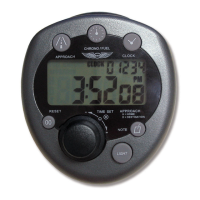
Note/Scratchpad Function
The Flight Timer includes a 5-digit numeric note
displayed in the upper right corner of the LCD.
Use it as a scratchpad for remembering important
flight numbers such as approach altitudes, frequen-
cies, or squawk codes. This note is always displayed
and can be accessed from any mode as follows:
◆
Press NOTE. The two highest digits will flash.
◆
Rotate DIAL to set first two digits.
◆
Push DIAL. The hundreds digit will flash.
◆
Rotate DIAL to set the hundreds digit.
◆
Push DIAL. The tens digit will flash.
◆
Rotate DIAL to set the tens digit.
◆
Push DIAL. The ones digit will flash.
◆
Rotate DIAL to set the ones digit.
◆
Push DIAL to accept note.
◆
Also, pressing NOTE at any time while setting
will accept the current note value.


 To Next Page