8
Setting UTC Hour
◆
With UTC time format displayed, push DIAL.
The hour digits will flash.
◆
Rotate DIAL to set the hours.
◆
Push DIAL to finish setting UTC hour digits.
Fuel Timer Function
The Flight Timer includes a fuel timer function to
time the intervals between fuel tank selections or
other intermittent events. Fuel timer features
include:
◆
Up to 99-hour timer
◆
Count-up or countdown operation
◆
Audible and visible countdown alarm
◆
Operates independently from other timers and
clock
The “FUEL” icon appears in the upper portion of
the display when fuel mode is active. If a different
mode is active, press the FUEL/CHRONO button to
display the fuel timer.
Count-up Operation
Count-up operation can be used to track the
duration of events up to 99 hours and 59 minutes
long. No alarm will sound when counting up.
◆
If timer is running press START/STOP to stop
timer.
◆
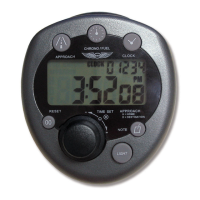
Press RESET to zero timer as shown in Fig 5.
◆
Press START/STOP to start timer. Seconds will
begin to count up.
◆
Press START/STOP to stop timer.


 To Next Page