P/N PM000223A • Rev. 1 • ISS 9 August 2017 37
Installation Manual
NU-Series Hardware
IP Devices
5.3.4 External DC Power Supply
In place of the internal power supply, the NISM2 can be connected to an external
12 - 24VDC power supply.
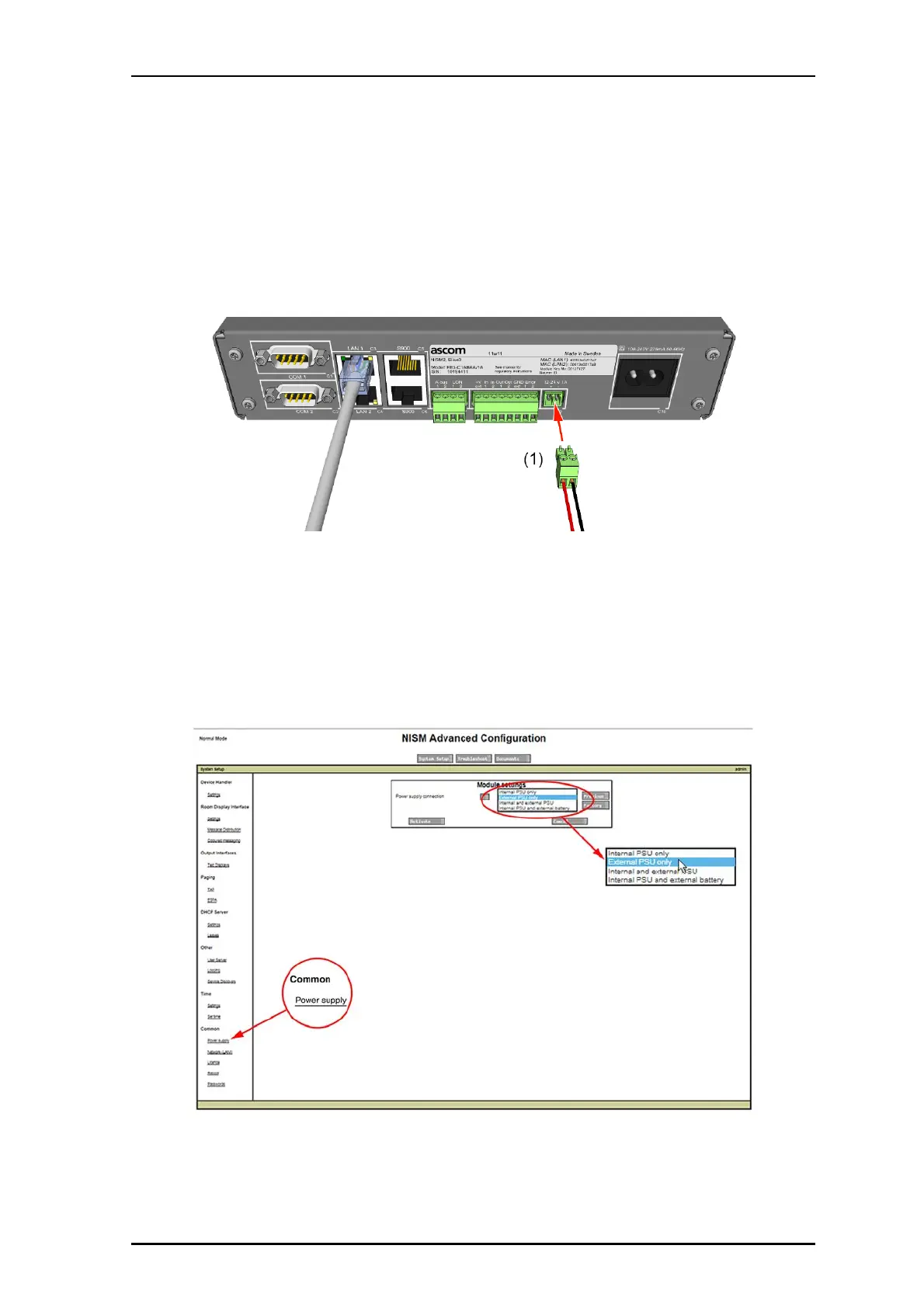
Connect the external power supply to the NISM2 at the "12-24V 1A” connector, as
shown in the following figure.
Figure 28 NISM2 with external 12-24VDC power input
Legend:
(1) 12-24VDC External Power Input
5.3.5 Setting the type of Power Supply in the NISM Advanced Settings
After connecting the external power supply to the NISM, select the appropriate power supply
type in the System Manager’s NISM Advanced Configuration section.
Figure 29 NISM power supply connection settings
When the correct power supply is set in the NISM System Setup, the power LED on the
front of the NISM2 illuminates a steady blue.


 To Next Page