INSTALLATION GUIDE
Customizable Button Module (NUDM3–HE)
Mount the module
5 Mount the module
1. Pull the room buses through the adapter plate and the frame.
See 7 Terminating the Room Bus RJ45 Connectors, page 8.
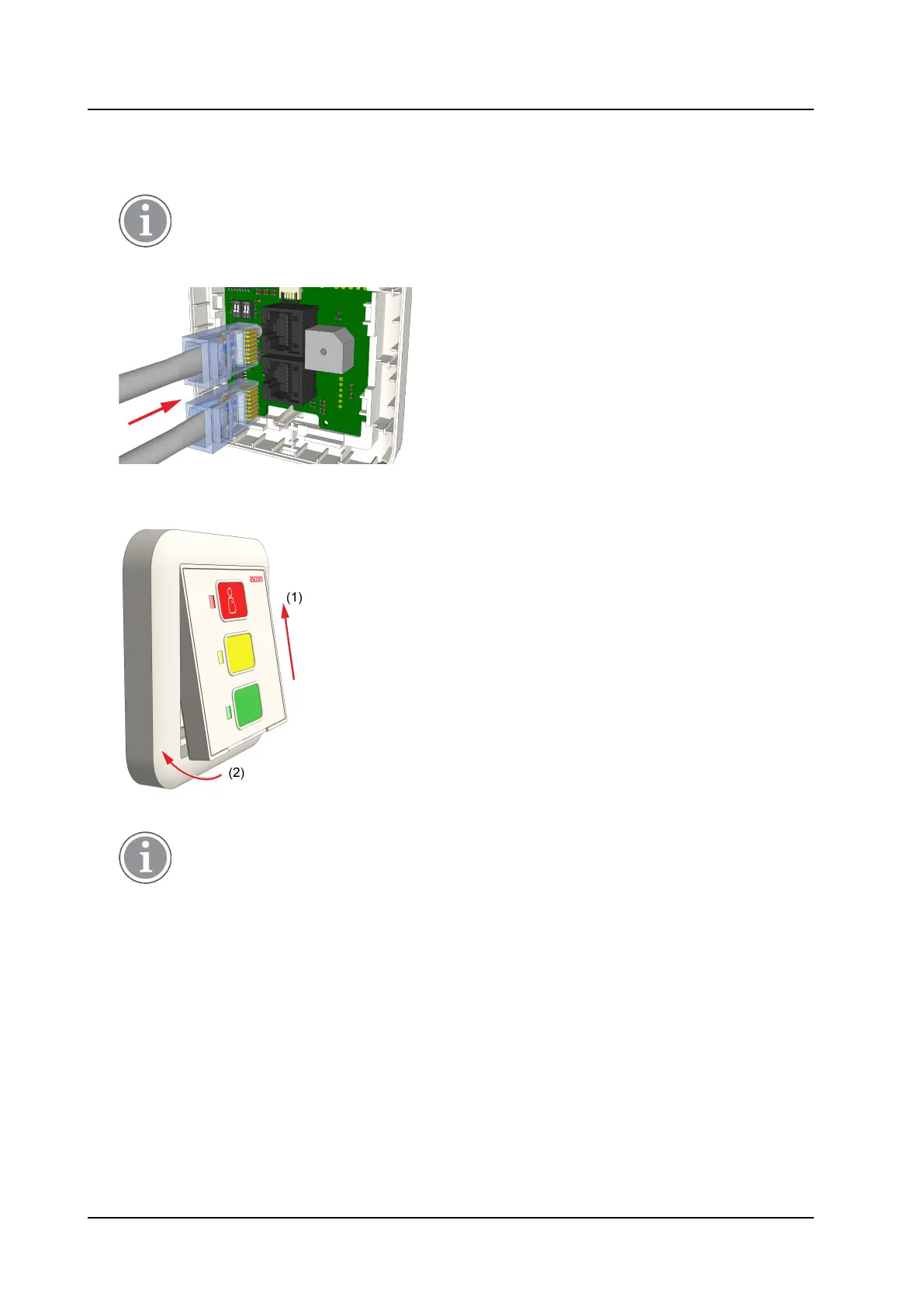
2. Insert the room buses into the RJ45 connectors on the rear side of the NUDM3.
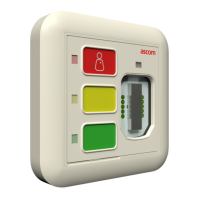
3. Place the frame with the module over the adapter and insert the top of the module first into the adapter
(item 1), and then click the bottom of the module into the adapter (item 2).
4. Perform a test and verify that the LEDs function correctly.
Only in a correctly configured system will a call or presence generate an alert on display
devices such as corridor lamps.
TD 93506EN / 02 March 2022 / Ver. A 6



 To Next Page