Removing the module
INSTALLATION GUIDE
Customizable Button Module (NUDM3–HE)
6 Removing the module
Removal of the NUDM3 from wall or ceiling.
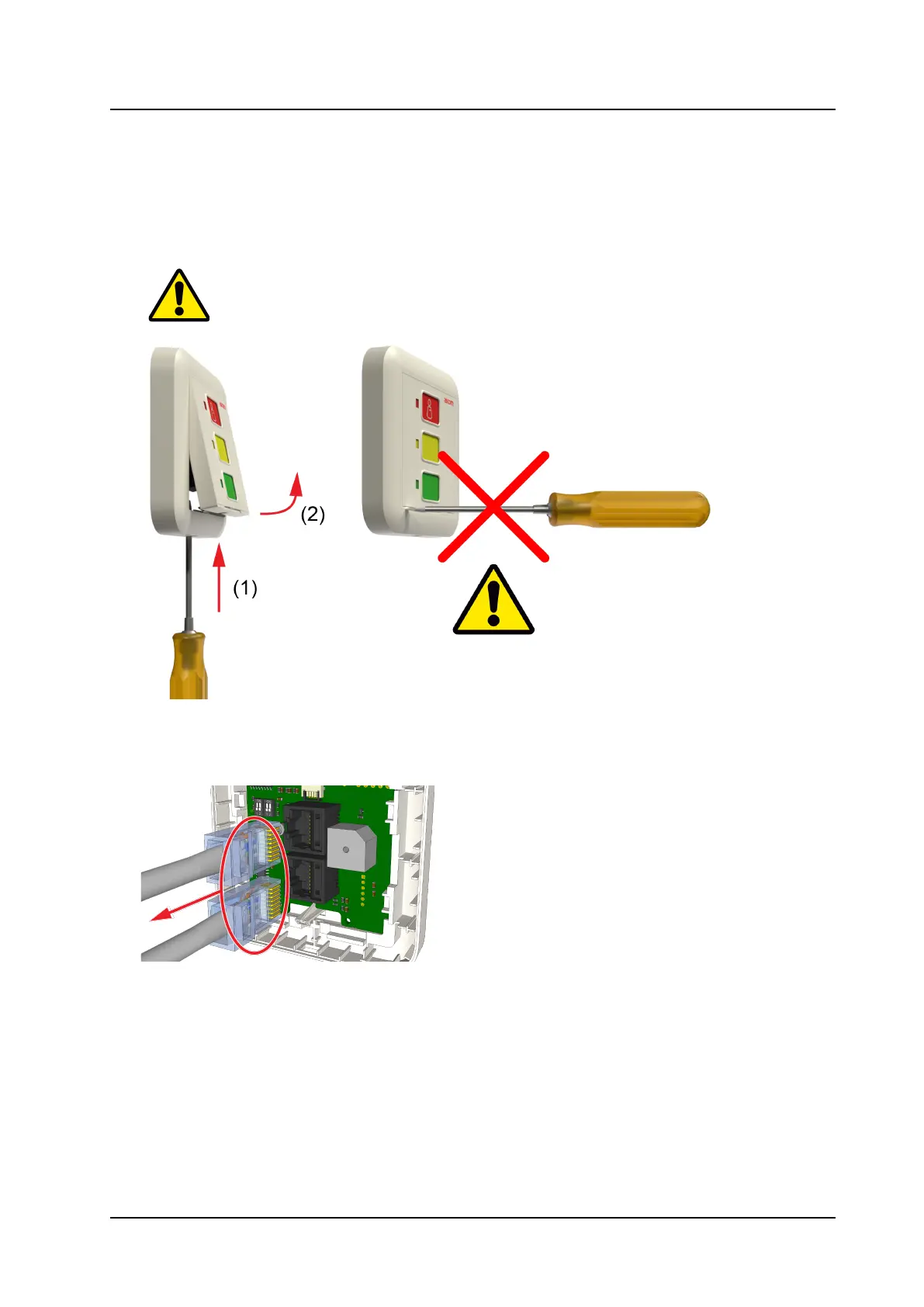
1. Remove the module:
• Insert a small flat tipped screwdriver into the hole on the bottom of the frame (item 1).
• Push the screwdriver up until the module pops out (item 2).
Caution: Do not insert the screwdriver into the bottom corner of the frame as this may
damage the frame or module.
It may be necessary to wiggle the screwdriver a bit for the module to come forward.
2. Pull the module gently away from the base. The module is still connected to the room bus.
3. Disconnect the room bus connectors from the rear of the module.
7
TD 93506EN / 02 March 2022 / Ver. A



 To Next Page