EasyManua.ls Logo

Ascon tecnologic Z31Y - User Manual

Ascon tecnologic Z31Y
13 pages
Print Icon
To Next Page IconTo Next Page
Loading...
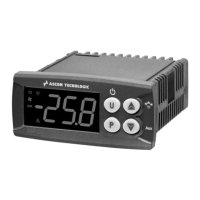
Z31Y Z31SY
DIGITAL ELECTRONIC
REFRIGERATION UNITS
CONTROLLER
OPERATING INSTRUCTIONS
Vr. 02 (ENG) - 04/12 - cod.: ISTR-MZ31YENG02
ASCON TECNOLOGIC S.r.l.
VIA INDIPENDENZA 56
27029 VIGEVANO (PV) ITALY
TEL.: +39 0381 69871
FAX: +39 0381 698730
http:\\www.ascontecnologic.com
e-mail: info@ascontecnologic.com
FOREWORD
This manual contains the information
necessary for the product to be installed
correctly and also instructions for its
maintenance and use; we therefore recommend
that the utmost attention is paid to the following
instructions and to save it.
This document is the exclusive property of ASCON
TECNOLOGIC which forbids any reproduction and divulgation
, even in part, of the document, unless expressly authorized.
ASCONT ECNOLOGIC reserves the right to make any formal or
functional changes at any moment and without any notice.
Whenever a failure or a malfunction of the device may cause
dangerous situations for persons, thing or animals, please
remember that the plant has to be equipped with additional
devices which will guarantee safety.
ASCON TECNOLOGIC and its legal representatives do not
assume any responsibility for any damage to people, things or
animals deriving from violation, wrong or improper use or in
any case not in compliance with the instrument’s features.
INDEX
INSTRUMENT ORDERING CODE7.5
FUNCTIONAL DATA7.4
MECHANICAL DIMENSIONS, PANEL CUT-OUT AND
MOUNTING
7.3
MECHANICAL DATA7.2
ELECTRICAL DATA7.1
TECHNICAL DATA7
GUARANTEE AND REPAIRS6.3
CLEANING6.2
SIGNALLING6.1
PROBLEMS , MAINTENANCE AND GUARANTEE6
PROGRAMMABLE PARAMETERS TABLE5
PARAMETERS CONFIGURATION BY “A014.12.3
RS 485 SERIAL INTERFACE BY “TLCNV”4.12.2
“TVR Y” REMOTE DISPLAY4.12.1
PARAMETERS CONFIGURATION BY “A014.12
FUNCTION OF KEYS “U” AND “DOWN/AUX”4.11
OPEN DOOR ALARM4.10.3
EXTERNAL ALARM (DIGITAL INPUT)4.10.2
TEMPERATURE ALARMS4.10.1
ALARM FUNCTIONS4.10
EVAPORATOR FANS CONTROL4.9
DEFROST DISPLAY LOCK4.8.4
END DEFROST4.8.3
MANUAL DEFROST4.8.2
AUTOMATIC DEFROST STARTS4.8.1
DEFROST CONTROL4.8
COMPRESSOR PROTECTION FUNCTION AND DELAY
AT POWER-ON
4.7
TEMPERATURE CONTROL4.6
ACTIVE SET POINT SELECTION4.5
OUTPUTS AND BUZZER CONFIGURATION4.4
DIGITAL INPUT4.3
MEASURING AND VISUALIZATION4.2
ON / STAND-BY FUNCTION4.1
FUNCTIONS4
ELECTRICAL WIRING DIAGRAM3.4
ELECTRICAL CONNECTIONS3.3
MECHANICAL MOUNTING3.2
PERMITTED USE3.1
INFORMATION ON INSTALLATION AND USE 3
KEYBOARD LOCK FUNCTION2.6
RESET PARAMETERS TO DEFAULT VALUE/LEVEL2.5
CUSTOMIZED MODE PARAMETER PROGRAMMING
(PARAMETERS PROGRAMMING LEVEL)
2.4
PARAMETER PROTECTION USING THE PASSWORD2.3
STANDARD MODE PARAMETERS PROGRAMMING 2.2
FAST PROGRAMMING OF SET POINT2.1
PROGRAMMING2
FRONT PANEL DESCRIPTION1.2
GENERAL DESCRIPTION1.1
INSTRUMENT DESCRIPTION1
1 - INSTRUMENT DESCRIPTION
1.1 - GENERAL DESCRIPTION
The model Z31Y is a digital controller with microprocessor that is
typically used in cooling applications that have temperature control
with ON/OFF regulation and defrosting control at intervals time or
at reaching temperature by stopping compressor or by means of
electrical heating or hot gas/reverse cycle.
The instrument has up to 2 relay outputs, up to 2 inputs for PTC or
NTC temperature probes and a digital input (aternative to an
temperature input), in addition can be equipped with an internal
buzzer that is the sound system for alarms.
The 2 outputs can be can all be configured for controlling the
compressor or the temperature control device and the defrosting
device or ,alternatively any of the previous functions, the
evaporation fan or using an auxiliary device or an alarm.
The 2 inputs for temperature probes can be used to measure the
control temperature, the evaporator temperature, products or aux
temperature, while the digital input alternative to evaporator or aux
ASCON TECNOLOGIC - Z31Y - OPERATING INSTRUCTIONS - Vr. 02 - 04/12 - ISTR-MZ31YENG02 - PAG. 1

Question and Answer IconNeed help?

Do you have a question about the Ascon tecnologic Z31Y and is the answer not in the manual?

Summary

Instrument Description

General Description

Describes the digital controller for refrigeration units, its typical applications, and core features like temperature and defrost control.

Programming

Standard Mode Parameters Programming

Guides users through accessing and programming controller parameters in standard mode using UP/DOWN and P keys.

Parameter Protection Using the Password

Details how to enable, use, and manage password protection for controller parameters to prevent unauthorized changes.

Customized Mode Parameter Programming

Reset Parameters to Default

Information on Installation and Use

Electrical Connection

Details the electrical wiring procedures, terminal connections, power supply requirements, and safety measures for installation.

Electrical Wiring Diagram

Presents the official wiring diagram for the Z31Y controller, illustrating connections for inputs, outputs, and power supply.

Functions

Temperature Control

Explains the ON/OFF temperature regulation mechanism, including set points, differentials, and the influence of heating/cooling modes.

Compressor Protection and Delay

Details the functions and time delays implemented to protect the compressor from frequent start-ups or short cycling.

Defrost Control

Automatic Defrost Starts

Explains the parameters and logic governing the automatic initiation of defrost cycles based on time intervals or compressor activity.

Evaporator Fans Control

Alarm Functions

Temperature Alarms

Details the configuration of temperature alarms, including absolute/relative thresholds, probe selection, and hysteresis.

Programmable Parameters Table

Technical Data

Electrical Data

Details the electrical specifications of the controller, including power supply, consumption, and input/output ratings.

Summary

Instrument Description

General Description

Describes the digital controller for refrigeration units, its typical applications, and core features like temperature and defrost control.

Programming

Standard Mode Parameters Programming

Guides users through accessing and programming controller parameters in standard mode using UP/DOWN and P keys.

Parameter Protection Using the Password

Details how to enable, use, and manage password protection for controller parameters to prevent unauthorized changes.

Customized Mode Parameter Programming

Reset Parameters to Default

Information on Installation and Use

Electrical Connection

Details the electrical wiring procedures, terminal connections, power supply requirements, and safety measures for installation.

Electrical Wiring Diagram

Presents the official wiring diagram for the Z31Y controller, illustrating connections for inputs, outputs, and power supply.

Functions

Temperature Control

Explains the ON/OFF temperature regulation mechanism, including set points, differentials, and the influence of heating/cooling modes.

Compressor Protection and Delay

Details the functions and time delays implemented to protect the compressor from frequent start-ups or short cycling.

Defrost Control

Automatic Defrost Starts

Explains the parameters and logic governing the automatic initiation of defrost cycles based on time intervals or compressor activity.

Evaporator Fans Control

Alarm Functions

Temperature Alarms

Details the configuration of temperature alarms, including absolute/relative thresholds, probe selection, and hysteresis.

Programmable Parameters Table

Technical Data

Electrical Data

Details the electrical specifications of the controller, including power supply, consumption, and input/output ratings.

Ascon tecnologic Z31Y Specifications

General IconGeneral
BrandAscon tecnologic
ModelZ31Y
CategoryController
LanguageEnglish

Related product manuals