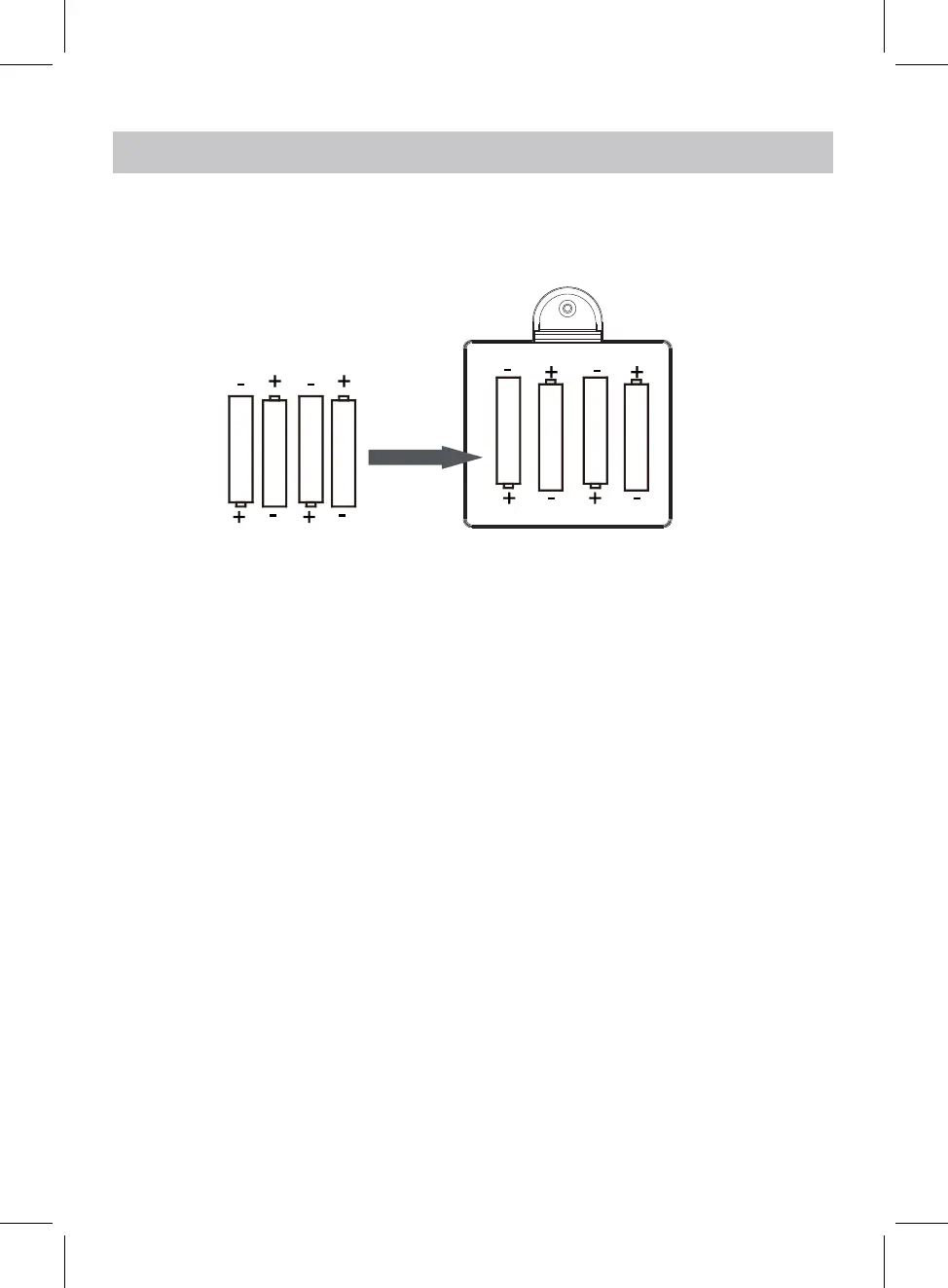
BATTERY INSTALLATION
8
1.5V LR6 AA
1.5V LR6 AA
1. Disconnect the radio from power.
3. Replace the battery compartment door.
1.5V LR6 AA
1.5V LR6 AA
BATTERY SAFETY AND DISPOSAL
CAUTION – Danger of explosion if batteries are incorrectly fitted / replaced.
Only use ‘AA’ 1.5V batteries in this appliance.
Be sure to insert batteries correctly taking care to observe the correct
polarity (+ and -).
Use only batteries of the same or equivalent type as recommended.
Batteries should be replaced by an adult.
Do not recharge non-rechargeable batteries.
Remove rechargeable batteries from appliance before recharging.
Never mix old and new batteries (replace all batteries at the same time).
Never try to dismantle batteries.
Do not short-circuit the supply terminals.
Always remove exhausted or dead batteries from the product.
Remove batteries from the product before extended storage.
Dispose of batteries responsibly at local authority household waste recycling
facility.
DO NOT dispose of batteries in a fire as the batteries may explode.
2. Remove the battery compartment door and insert 4 x 1.5 V (AA/LR6) size
batteries, matching the polarity(+and-) as shown in the battery compartment.
NOTE: The unit can also be operated by power supply through the power adapter.
Note: For protecting the ciucuit,the unit will be turned off if you use power
adapter while it is working and powered by the batteries installed. Users should
turn the device on by pressing the "POWER" button.


 To Next Page