Using Your Radio
Using Headphones
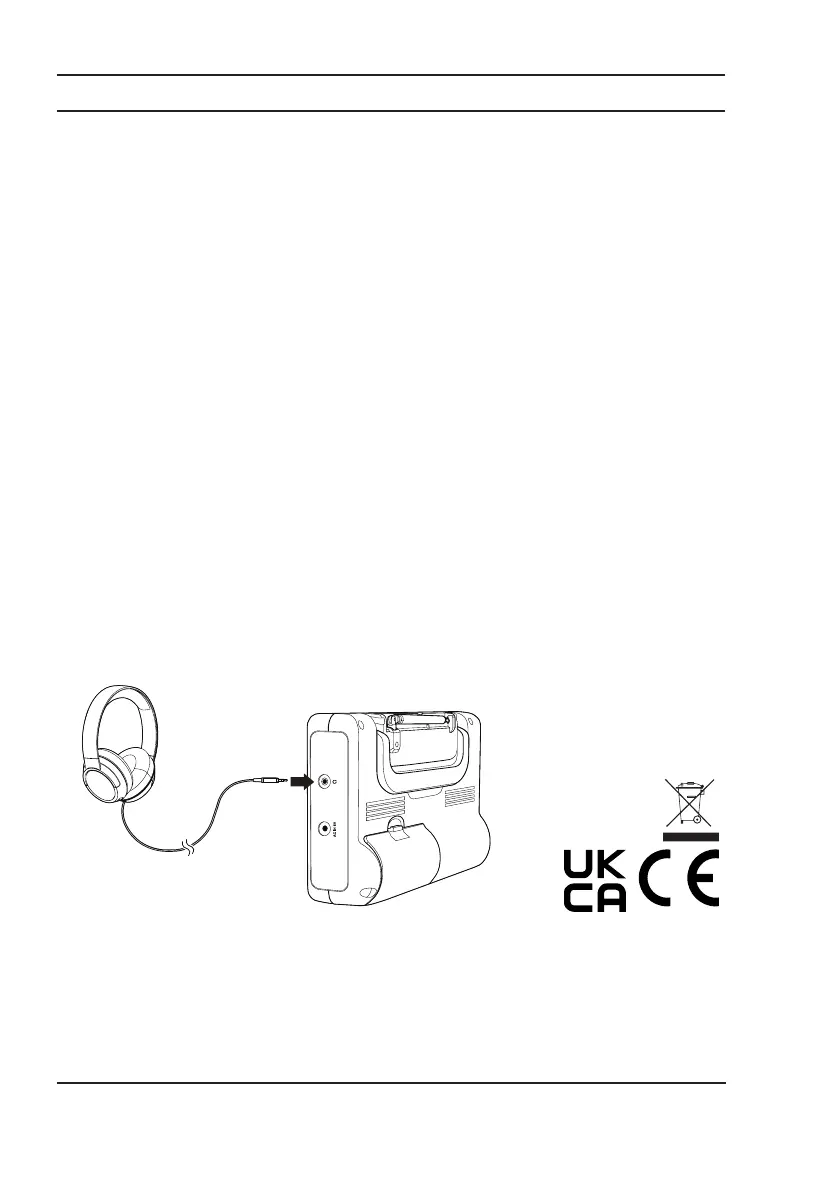
Using a 3.5mm audio cable, insert the 3.5mm plug into the headphone jack on the radio (Headphones not included).
Important: To avoid hearing damage, set the volume to the lowest level before placing your Headphones on your
ears. Be careful when listening at high volume for prolonged periods of time, as it can damage your hearing.
Turning Your Radio On and Off
Press the POWER button on the front of the radio to Power the radio on. Press the POWER button again to power the
radio off.
Finding a Radio Station
Note: To improve reception it is recommended to fully extend the antenna on the back of the radio.
1. With the radio on, select either the FM or AM frequency band by pressing the AM/FM button.
2. Press and hold the TUNE buttons to start automatically scanning radio station frequencies. Once a radio station
has been found the search will stop.
3. To manually tune the radio frequency, press the TUNE buttons.
Using the Memory Function (Auto)
You can save up to 20 FM and 20 AM stations as presets for easy access to your favorite radio stations.
1. Press and hold the MEMORY button to scan and store all available stations.
2. Press PRESET NUMBER buttons (1-5) for the first five saved stations.
3. Press the PRESET button. Then press the TUNE buttons to search through saved stations (6-20).
Using the Memory Function (Manual)
1. Press the TUNE buttons to select the frequency you want.
2. Press the MEMORY button.
3. Press the TUNE buttons to select which preset number you want to save the station to (1-20).
4. Press the MEMORY button to save.
5. Press the PRESET button. Press the TUNE buttons to search through saved stations (1-20) or press PRESET
NUMBER buttons to quickly select stations saved from (1-5).
This product bears the selective sorting symbol for Waste electrical and electronic equipment (WEEE). This
means that this product must be handled pursuant to European directive 2012/19/EU in order to recycled or
dismantled to minimize its impact on the environment. User has the choice to give his product to a competent
recycling organization or to the retailer when he buys a new electrical or electronic equipment.
For more information, please contact the local authority or your retailer where you purchased the product.
Hereby, [Huizhou Yinghai Digital Electronics Co., Ltd.], declares that this [Portable AM/FM Radio ATA22AA005A]
is in compliance with the essential requirements and other relevant provisions of 2014/53/EU.
The full text of the EU declaration of conformity is available at the following internet address: www.asda.com
ASDA, Leeds LS11 5AD/ASDA, Antrim BT41 4GY
Customer Service
For any product related questions, please call us at: 0333 600 7700.



 To Previous Page