
 Need help?
Do you have a question about the ASEM Ubiquity RM10 and is the answer not in the manual?
Manual notes, disclaimers, and binding information updates.
Lists all brand and product names as trademarks.
Guidance on proper disposal of electrical and electronic equipment.
Explains symbols indicating danger to life, hardware, or environment.
Defines personnel authorized for operating the Ubiquity Router device.
Outlines necessary knowledge for operating instructions and PCs.
Details correct usage, applications, and environmental conditions.
Explains the manual's intention, audience, and DIN EN 62079 requirements.
States the manual's importance for the Ubiquity Router device and commissioning.
Notes that the manual contains illustrations, which may differ.
Defines the scope of instructions for RK/RM family devices and Ubiquity runtime.
Covers installation compliance, hazardous areas, and working on control cabinets.
Specifies indoor use only and potential damage if operated outdoors.
Refers to Section 6 for details on relevant standards.
Hardware device for remote assistance, standalone solution, zero impact on network devices.
Lists features like ARM Cortex A8, memory, Ethernet, serial ports, USB, LEDs, and models.
Lists items included in the Ubiquity Router device package.
Detailed view and explanation of LEDs and ports on the RK10 front panel.
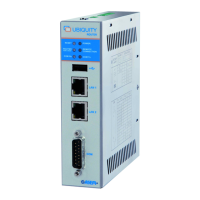
Detailed view and explanation of LEDs and ports on the RM10 front panel.
Detailed view and explanation of LEDs, ports, and modem features on RK11.
Detailed view and explanation of LEDs, ports, and modem features on RM11.
Explains Reset button, Restore Defaults button, DC Input, Digital I/O, and Antenna connector.
Details the stainless steel enclosure and aeration holes.
Shows the left side view with labels and aeration holes.
Details the rear view with mounting holes and SIM card socket.
Details the rear view with mounting holes.
Describes labels on the device side panels (IP, MAC, Serial Number, Bar Code, IMEI).
Describes Pentaband stilo, wall-mount, and outdoor antennas.
Steps for selecting mounting location and checking conditions.
Verifying package contents for damage and completeness.
Verifying standards, approvals, EMC, and ambient conditions for operation.
Specifies suitable installation locations like cabinets and switchboards.
Ensures the mounting frame material is sufficiently stable.
Procedures for wall and DIN rail mounting installation.
Instructions for inserting the SIM card into the device.
Procedures for installing stilo, wall-mount, and outdoor antennas.
Covers notes on connection, grounding, power supply, and Ethernet ports.
Details connecting the DB15 male connector for serial protocols and MPI/PPI networks.
Examples of connecting digital inputs/outputs for security and signaling.
Covers basic settings, network configuration, and RM model configuration via Control Center.
Guidelines for cleaning the device and replacing the backup battery.
Information on backing up and restoring device contents and system.
Procedure for updating firmware, runtime, and HMI components.
Contact information and services for technical support and repairs.
Guidance on environmentally sound recycling and disposal of the device.
Details integrated system software and operating system.
Specifications for motherboard, CPU, memory, and interfaces.
Details power supply input voltage and protections.
Information on case type and material.
Specifies operating temperature and humidity ranges for different models.
Electrical and mechanical specifications for panel antennas.
Electrical and mechanical specifications for wall mount antennas.
Electrical and mechanical specifications for outdoor panel antennas.
Lists compliance with European directives and relevant standards.
Provides dimensional drawings for the Ubiquity Router device.
Detailed drawing dimensions for the panel antenna.
Detailed drawing dimensions for the wall mount antenna.
Detailed drawing dimensions for the outdoor panel antenna.
Details pinouts for COM1 serial, Digital In/Out, and DC Input.
 General
| Brand | ASEM |
|---|---|
| Model | Ubiquity RM10 |
| Category | Network Router |
| Language | English |

 To Next Page
