Need help?
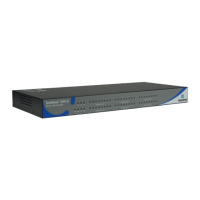
Do you have a question about the Asentria SiteBoss 550 and is the answer not in the manual?
Required hardware, necessary information, and physical installation steps for SiteBoss.
Details on power supply options, connections, and the unit's boot-up process.
Connecting via network (OmniDiscover) or serial for initial setup and CLI access.
Overview of the Web Interface and Command Line Interface for SiteBoss control.
Configuring core system parameters, network services, and protocols.
Managing user accounts, authentication, RADIUS, and system access permissions.
Configuration and status of sensors, data alarms, and event notifications.
Status and configuration for AC power monitoring and fuel level sensors.
Configuring PPP, VPN, and DNP3 for remote communication and telemetry.
Automating SiteBoss operations via Lua scripting and scheduled tasks.
Managing system logs, firmware updates, and configuration backups/restores.
SNMP configuration for network monitoring and FTP/SFTP for file transfers.
Hardware specs, FCC compliance, modem info, and regulatory requirements.
Product warranty terms, conditions, and contact details for technical support.
 General
| Model | SiteBoss 550 |
|---|---|
| Humidity | 5% to 95% non-condensing |
| Control Outputs | 8 relay outputs |
| Power Consumption | 15W typical |
| Input Voltage | 100-240 VAC, 50/60 Hz |
| Monitoring Capabilities | Environmental, power, security, and network |
| Protocols | SNMP, HTTP/HTTPS, SSH, Telnet |
| Cellular | Optional 4G LTE Cellular Modem |
| Operating Temperature | -40° to 70°C (-40° to 158°F) |
| Form Factor | Rackmount |
| Communication Ports | RS-232, USB |
| Alarm Inputs | 16 Dry Contact Alarm Inputs |


 To Next Page