
 Need help?
Do you have a question about the Asentria TeleBoss 830 and is the answer not in the manual?
Lists the essential hardware components required for TeleBoss setup and operation.
Details the necessary network and configuration information before starting TeleBoss setup.
Provides essential guidelines for the physical installation of the TeleBoss unit.
Outlines critical environmental conditions that must be met for proper TeleBoss operation.
Explains the different power input options available for the TeleBoss unit.
Describes the optional battery backup module for maintaining operation during power loss.
Provides detailed instructions for connecting the TeleBoss unit to DC power sources.
Explains the methods for accessing and controlling the TeleBoss unit.
Details accessing the TeleBoss via network using OmniDiscover, Telnet, and Web interfaces.
Covers the default login credentials and security recommendations for the TeleBoss.
Explains how to establish a serial connection using a USB to RS232 adapter.
Details how to connect via a DB9 serial port using appropriate adapters.
Describes methods to verify network connectivity after configuring Ethernet settings.
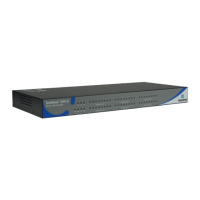
Provides a fundamental overview of the TeleBoss 830 system and its capabilities.
Outlines the various methods through which the TeleBoss can deliver event notifications.
Explains how and where the TeleBoss stores collected data and log files.
Lists the standard on-board equipment and components included with the base TeleBoss unit.
Describes the function and location of front and back panel LEDs, ports, DIP switches, and buttons.
Details the use of the Memory I/O slot for sensors and firmware updates.
Explains the SensorJack port and its use with EventSensors.
Describes the standard 10/100Mb Ethernet interfaces using RJ45 connectors.
Details the configuration and pinout of the TeleBoss's serial ports.
Covers the installation and connection of an internal POTs dialup modem.
Explains the availability and purpose of expansion card slots for additional functionality.
Details the text-based Command Line Interface for unit control and access.
Explains the informational status displays available through the CLI.
Describes how to access and interpret the general status screen via the CLI.
Explains how the 'Location' column refers to sensor placement and type.
Describes the user-defined name for sensors and how it's displayed.
Explains that the 'ID' field displays a unique factory-defined identifier for EventSensors.
Details the 'Alive' field indicating sensor current functioning status.
Guides on viewing more detailed information about specific sensors.
Introduces the structured menus within the CLI for configuring TeleBoss functions.
Describes the status pages available within the TeleBoss Web Interface.
Explains the Sensor Status page showing internal and external EventSensor status.
Guides on navigating to the Output Control display to toggle relays or power outputs.
Details the various input methods used for configuring settings via the Web Interface.
Explains the use of checkboxes for enabling/disabling settings as ON/OFF options.
Details string entry fields used for text input like descriptions and site names.
Describes the Submit and Cancel Changes buttons for applying or discarding setting modifications.
Covers network communication settings including routing, VPN, SNMP, and Email.
Details settings options pertaining to the function of the TeleBoss serial ports.
Explains configuration for modem settings and modem-specific security options.
Covers user profile configurations and general security settings for the unit.
Displays the menu for configuring the two Ethernet interfaces on the TeleBoss unit.
Shows how to configure Ethernet settings using the unit's Web GUI.
Explains how to configure DNS servers and DNS mode via the Web Interface.
Details how the TeleBoss collects text records via various Internet Protocols.
Explains TeleBoss support for generic server IP record collection and Avaya RSP.
Describes the process for collecting call data from Alcatel OmniPCX systems.
Details collecting data from Cisco CallManager 4.x using SQL commands.
Explains how to toggle the TeleBoss' internal web server ON or OFF.
Sets the duration a connection may remain idle before expiring.
Configures the TCP port for HTTP connections to the TeleBoss.
Configures the TCP port for HTTPS connections to the TeleBoss.
Shows how to configure Web Interface settings through the GUI.
Sets the IP address of the host unit to which a sensor will report status changes.
Sets the TCP port used by sensors to report status to a host Asentria device.
Toggles the TeleBoss's response to SNMP get and set requests.
Sets the community names for SNMP trap configuration.
Explains how to configure SNMP settings through the Web Interface.
Configures automatic FTP pushes of buffered data to a remote server.
Sets the IP address or hostname of the FTP server for data pushes.
Toggles the FTP mode between Active and Passive.
Configures settings for making outbound PPP network connections via a POTs modem.
Configures settings for hosting a PPP connection on the TeleBoss POTs dial-up modem.
Configures network monitoring and PPP backup connection settings.
Shows how to configure PPP settings through the Web Interface.
Sets the hostname or IP address of the outbound mail server for sending emails.
Sets the TeleBoss's email domain name used when sending emails.
Configures credentials for SMTP authentication required by some mail servers.
Toggles the mode for real-time sockets between LISTEN, PUSH, and OFF.
Explains how to configure real-time socket settings using the Web Interface.
Specifies network routes that define how traffic is routed to destinations.
Details configuration options for setting up Virtual Private Network (VPN) connections.
Sets the IP address of the device to be monitored by the TeleBoss.
Assigns a name to the equipment being monitored.
Sets the interval for periodic pings to check if a monitored device is alive.
Defines the number of failed pings before a CPE down event is triggered.
Explains how CPE settings are configured as "Ping Alarms" in the Web Interface.
Sets the IPv4 address for the Ethernet Expansion Card interface.
Sets the IPv4 subnet mask for the Ethernet Expansion network interface.
Sets the IPv4 address of the next hop router for the Ethernet Expansion subnet.
Toggles Network Address Translation for frames forwarded by the Ethernet Expansion.
Sets the starting IP address for serving DHCP addresses on the Expansion interface.
Allows configuration of IP address settings based on six different Advanced DHCP classes.
Enables or disables the DHCP class IP address configuration.
Inputs the client MAC address to associate with specific IP address configurations.
Sets the start IP address for a specified MAC address or range.
Sets the end IP address for a specified MAC address range.
Sets the name for the device connected to each serial port for event notifications.
Selects the baud rate for serial port communication.
Configures word length, parity, and stop bit settings for serial data format.
Sets the handshaking method for serial port communication.
Toggles whether incoming data overwrites the oldest data when the file is full.
Enables prepending Date/Time and/or Site Name to incoming data strings.
Provides configuration settings for the optional POTs dialup modem card.
Details configuration options for the optional wireless modem expansion card.
Sets the security mode for the TeleBoss, with USER PROFILES as the only option.
Configures individual user profiles and authentication settings.
Sets global password and security options required for all users.
Configures user names, passwords, and access permissions for up to twelve users.
Toggles the display of a prompt for logging in.
Toggles ON or OFF access via Modem, Telnet, FTP, and Real-Time Socket.
Enables console access using the Reset button if login credentials are forgotten.
Guides on installing certificates via file upload or creating self-signed certificates.
Enables creating a self-signed certificate using General Certificate information.
Configures event severity classification settings.
Provides menus for configuring serial data event monitors and filters.
Details menus for configuring internal and external sensors and relays.
Configures alarms for periods with no data received on serial ports.
Configures alarms based on the TeleBoss buffer's percentage of full memory.
Configures alarm notifications for specific times and days of the week.
Configures Customer Premises Equipment (CPE) monitoring functions, known as Ping Alarms.
Toggles between REJECT and ACCEPT for incoming data filters.
Configures up to 16 individual data alarm fields, including start position and length.
Configures up to 100 macros for data alarming, defining equations and names.
Explains how to connect EventSensors to the TeleBoss unit using provided cables.
Details the configuration and assignment of EventSensors to specific slots.
Configures actions taken when an EventSensor becomes unresponsive.
Configures alarms triggered when the TeleBoss buffer reaches a certain percentage of capacity.
Configures monitoring functions for Customer Premises Equipment (CPE), known as Ping Alarms.
Configures event actions to be performed after the unit restarts or power cycles.
Sets the site name, answer string, confirmation prompt, date/time, and other general settings.
Configures general action parameters like callout attempts, delays, and schedules.
Provides settings for older systems, not recommended for new implementations.
Configures the Event Log, including file size, logging options, and prepends.
Records a variety of actions within the TeleBoss, including configuration changes and connections.
Explains Setting Keys for human-readable configuration and automated processes.
Describes read-only keys used to display the current status of various unit parameters.
Details how to back up TeleBoss settings via the Web Interface.
Explains backing up settings via Xmodem or ASCII transfer methods.
Provides instructions for upgrading the TeleBoss firmware using various methods.
Lists commands for interacting with the TeleBoss user interface.
Commands used to enter and navigate the TeleBoss setup menu.
Commands for accessing and clearing data files on the TeleBoss.
Step-by-step guide for safely inserting expansion cards into the TeleBoss unit.
Provides physical and environmental specifications for different TeleBoss models.
Offers guidelines and regulatory information related to the internal modem.
Contains notices and requirements from the Canadian Department of Communications.
Details the warranty terms, conditions, and service procedures for the TeleBoss.
 General
| Alarm Inputs | 8 |
|---|---|
| Serial Ports | 2 |
| Operating Temperature | -4° to 158°F (-20° to 70°C) |
| Power Consumption | 5W |
| Network Interface | 10/100Base-T Ethernet |
| Protocols | SNMP, HTTP, HTTPS |
| Ethernet Ports | 1 |
| Power | 12V DC |
| Mounting | DIN Rail |
| Input Voltage | 12V DC |
| Humidity Range | 5% to 95% non-condensing |
| Communication Ports | Ethernet, Serial |
| Alarm Contacts | 8 dry contact inputs |

 To Next Page
