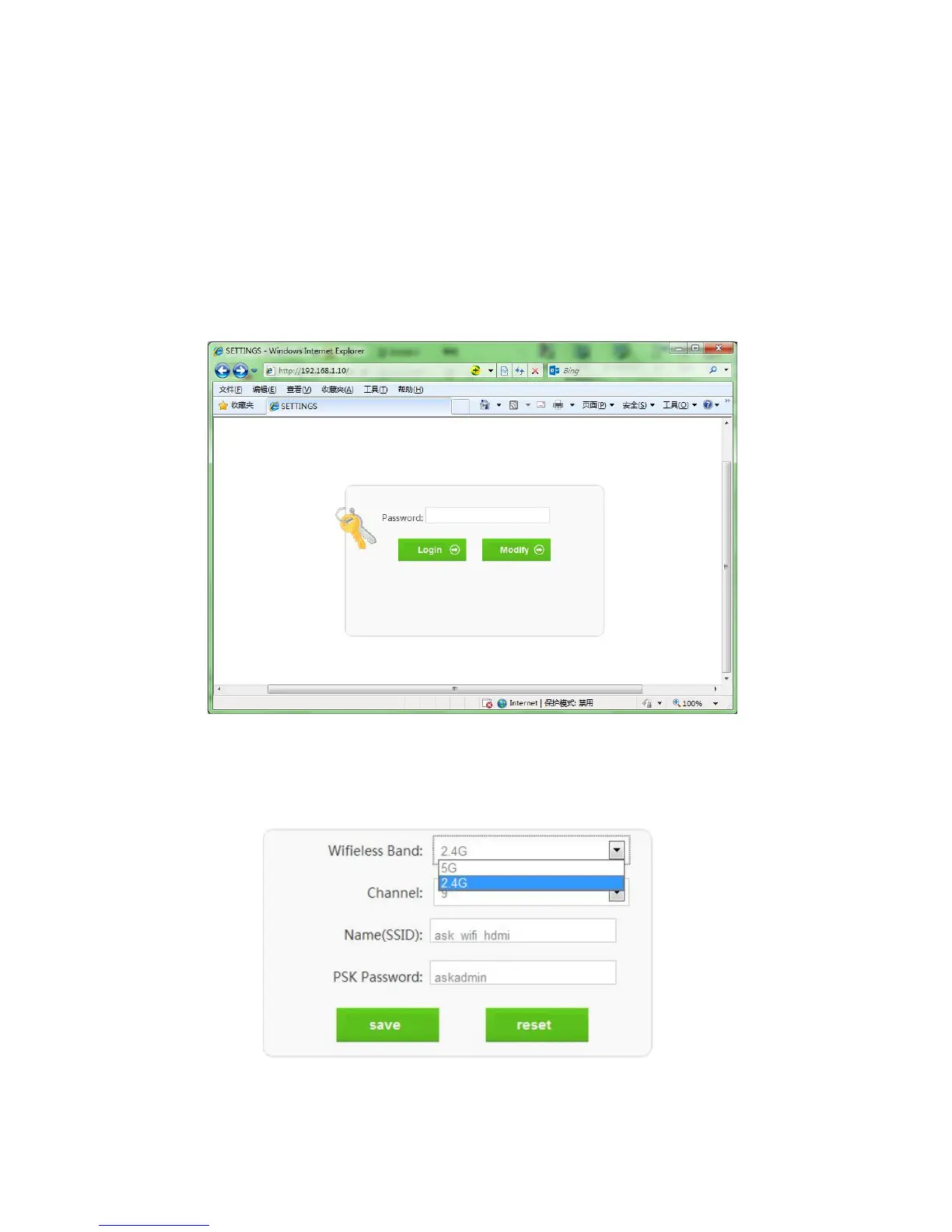
first log in. Pls follow the below steps:
1. Connect 5V power supplies to the TX&RX, and inserted into the power socket.
2. Turn on the WLAN of the mobile phone / PC,search and connect SSID:HDMI_Wireless, Enter the
default password: 00000000.
3. Modify the IP address type of the mobile phone / PC to static / fixed, and the IP must be set in
192.168.1. xxx address segment range, e.g. 192.168.1.100.
4. Open the IE browser and enter 192.168.1.10 in the address bar, click “Enter”.
5. Enter the default login password: admin, click “Login” open the Settings Interface. If you want to
modify the login password, please click on the " Modify ", after modified click "save" to save
and exit. Restore factory settings when click "reset".
If you forgot the password, you can restore factory setting. The steps as below:


 To Next Page