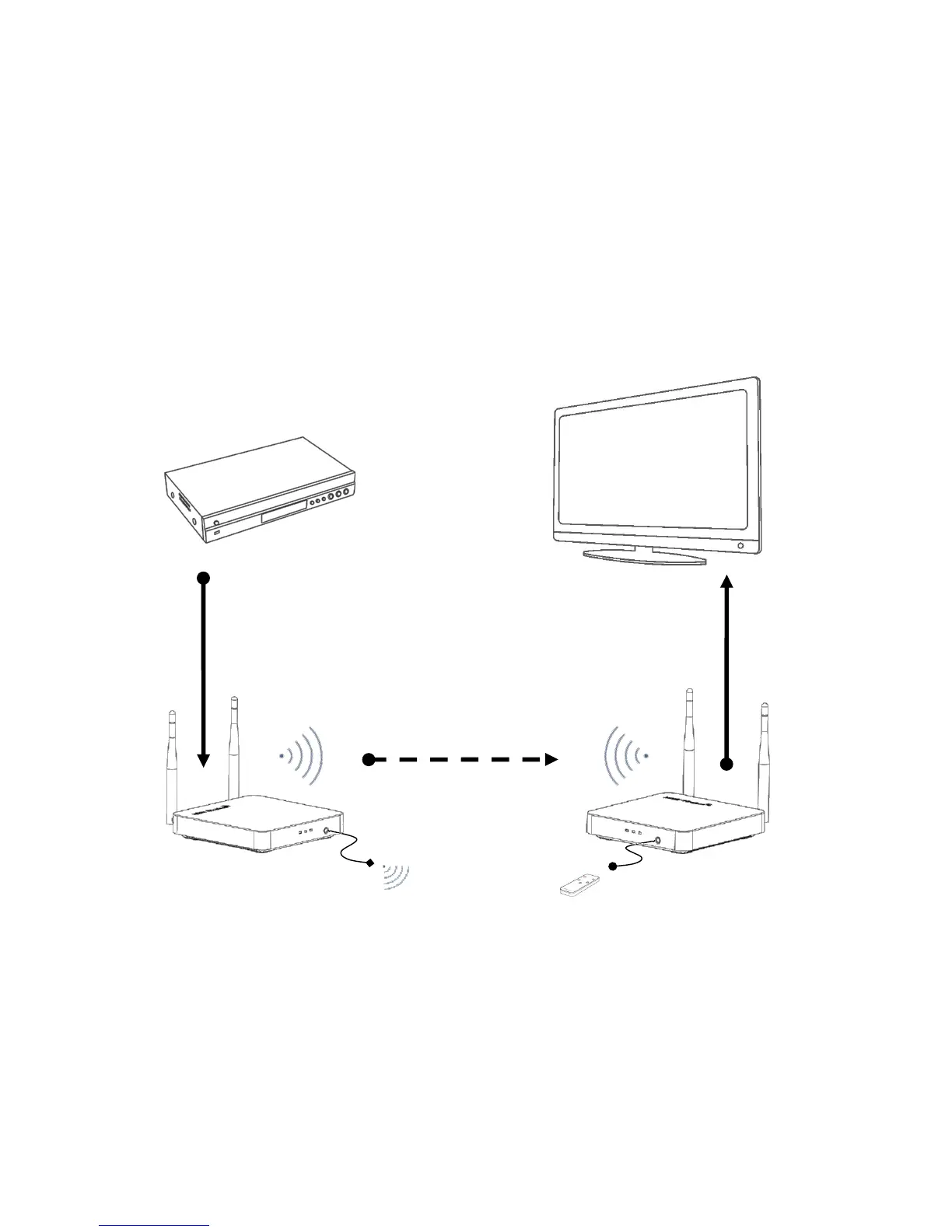
OPERATIONG AND CONNECTION:
1.Connect one HDMI cable from the DVD/BD player into the HDMI input port of the HDMI wireless TX.
2.Connect one HDMI cable from TV/Monitor into the HDMI output port of the HDMI wireless RX.
3.Connect the IR Transmitter cable to the HDMI wireless TX and the IR Transmitter cable must face to
the control target device.
4.Connect IR Receiver cable to the HDMI wireless RX.
5.Connect 5V power supplies to the TX&RX, and inserted into the power socket.
To prevent the interference caused by the same frequency device, the Wireless
HDMI Extender support to set up the working frequency, transmit channel and SSID
by the WEB. For safety, the user should change the SSDI and the password at the


 To Next Page