EasyManua.ls Logo

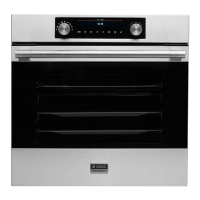
Asko BO6PY4I1-42 - User Manual

Asko BO6PY4I1-42
44 pages
Print Icon
To Next Page IconTo Next Page
Loading...
Dear customer!
Thank you for choosing this quality product from ASKO. We hope it will
meet your expectations and ful l your needs for many years to come.
Scandinavian design combines clean lines, everyday functionality and
high quality. These are key characteristics of all our products and the
reason they are greatly appreciated throughout the world.
Operating instructions
THE ELECTRIC PYROLYTIC OVEN
BO6PY4I1-42 OP8636S

Questions and Answers

  • K
    Kyle MarshAug 1, 2025
    What to do if my Asko Oven is showing an error code?
    • W
      William MeyerAug 2, 2025
      If your Asko Oven displays an error code (E1, E2, E3, etc.), it indicates an issue with the electronic module. To resolve this, disconnect the oven from the power supply for a few minutes, then reconnect it and set the time. If the error persists, it is recommended to call a service technician.
  • S
    Sophia DanielsAug 11, 2025
    How to fix unresponsive sensors on my Asko Oven?
    • H
      Haley BassAug 11, 2025
      If the sensors of your Asko Oven are unresponsive or the display is frozen, disconnect the appliance from the power mains for a few minutes by undoing the fuse or switching off the main switch. Then, reconnect the appliance and switch it on.
  • C
    Christopher HowellAug 21, 2025
    Why is my pastry underdone in Asko BO6PY4I1-42?
    • R
      Rebecca LynnAug 21, 2025
      If the pastry is underdone in your Asko Oven, ensure that you have selected the appropriate temperature and heating system. Also, verify that the oven door is completely closed during operation.

Summary

Technical Specifications

Control Unit Overview

Important Safety Instructions

Pre-Use Oven Procedures

Before Connecting the Oven

Instructions and warnings to follow before connecting the oven to the power supply.

Before First Use

Steps to take after unpacking and before the initial use of the oven.

Cooking Process Steps

Step 1: Switching On and Settings

Instructions for powering on the oven and setting the current time.

Step 2: Choosing the Cooking System

Step 3: Choosing the Settings

Timer Functions

Step 4: Selecting Additional Functions

Step 5: Starting the Cooking Process

Step 6: Switching Off the Oven

Cooking Modes and Tables

Maintenance and Cleaning

Troubleshooting Guide

Disposal

Asko BO6PY4I1-42 Specifications

General IconGeneral
BrandAsko
ModelBO6PY4I1-42
CategoryOven
LanguageEnglish

Related product manuals