DescriptionSettingsOptionsButton press
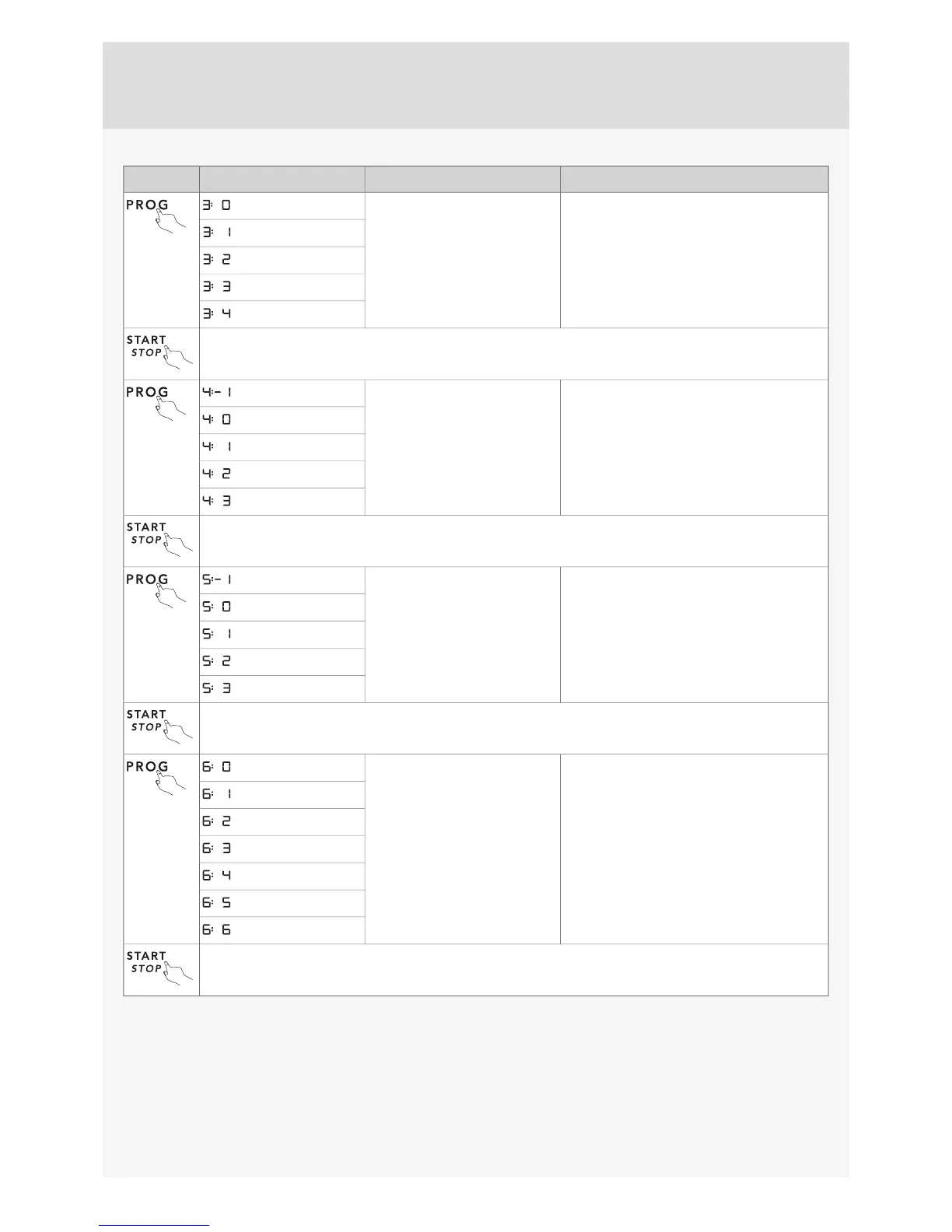
This sound is used to confirm each button press.Operation volume
(Off)
(Low)
(High)
Press Start/Stop to save the setting value and continue to the next setting.
For adjusting the contrast of the display on the front
door.
LCD contrast
(Display on the front of the door)
Press Start/Stop to save the setting value and continue to the next setting.
For adjusting the contrast of the display on the panel.LCD contrast
(Display on the panel)
(Low)
(High)
Press Start/Stop to save the setting value and continue to the next setting.
Rinse aid dosage setting.Rinse aid
(Off)
(Low dosage)
(High dosage)
Press Start/Stop to exit the settings menu.
Customer Care Center 1-800-898-1879
www.askona.com
11


 To Next Page