EasyManua.ls Logo

Asko D5644 - User Manual

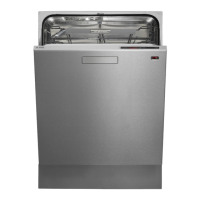
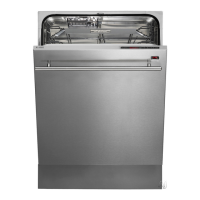
Asko D5644
40 pages
Print Icon
To Next Page IconTo Next Page
Loading...
Dear Customer,
Thank you for choosing this quality product from ASKO.
We hope it will meet your expectations and full your needs for many years to come.
Scandinavian design combines clean lines, everyday functionality and high quality. These
are key characteristics of all our products and the reason they are greatly appreciated
throughout the world.
To get the most from your new dishwasher, we recommend that you read the operating
instructions before using the dishwasher. The operating instructions also include information
on how you can help protect the environment.
ASKO D5644
Operating Instructions
Dishwasher

Other manuals for Asko D5644

Questions and Answers

  • M
    Michael JenkinsSep 23, 2025
    Why don't the touch buttons react on my Asko D5644?
    • P
      patrick56Sep 23, 2025
      If the touch buttons on your Asko dishwasher aren't responding, wait a moment and try again, especially if you've just opened the door. Clean the buttons with a dry or slightly damp cloth. If a specific symbol appears on the display, open the door wider until the display lights up. Also, check if the child lock (button lock) is activated.
  • M
    Matthew WilsonAug 23, 2025
    How to fix Asko D5644 when the dishes are not clean?
    • A
      Alyssa BlevinsAug 23, 2025
      If your Asko dishwasher leaves dishes unclean, start by removing and cleaning the spray arms to ensure they rotate freely. Check that dishes aren't blocking the spray arms. Ensure your detergent isn't too old and dose it correctly according to water hardness. Select a more powerful program or higher temperature. Load dishes correctly, avoiding covering them with large bowls or lids, and ensure glasses and cups are loaded securely. Finally, make sure the filter is correctly fitted and screwed firmly into place.
  • F
    fieldskathleenAug 25, 2025
    Why are dishes not dry after Asko D5644 Dishwasher cycle?
    • B
      Brianna RodriguezAug 26, 2025
      If your Asko dishwasher isn't drying dishes well enough, activate the Long dry option. Ensure the dishwasher is fully loaded. Check and top up the rinse aid, or increase the rinse aid dosage. Once the program finishes, open the door slightly to improve drying.
  • V
    vmckinneyAug 27, 2025
    What to do if my Asko D5644 Dishwasher does not start?
    • K
      Kayla BaldwinAug 27, 2025
      If your Asko dishwasher isn't starting, make sure the main power switch is on by pressing and holding it until the display lights up. Also, check that the door is properly closed, no fuses or circuit breakers have been tripped, the plug is securely in the wall socket, the water tap is turned on, and there are no overflow/leaks issues. Also, verify that the Delayed start option hasn't been selected. If a whirring sound is heard and doesn't stop when the power is off, turn off the water tap, pull out the plug, and call the service division.
  • E
    Ernest WelchAug 27, 2025
    What to do if water remains in my Asko D5644 Dishwasher?
    • K
      Kelly CallahanAug 27, 2025
      If your Asko dishwasher has water remaining after a cycle, check the drainage hose for blockages by loosening it at the sink unit's water trap and ensuring no debris is present, also ensure that the cone-shaped part of the pipe is cut to an inner diameter of at least 14 mm. Make sure there are no kinks or sharp bends in the drainage hose. Clean the coarse and fine filters and ensure the filter is completely locked with the handle pointing towards the door. You may need to clean the drainage pump.
  • E
    erin06Sep 17, 2025
    How to get rid of bad odour in Asko D5644?
    • T
      Troy PhillipsSep 17, 2025
      To eliminate bad odors in your Asko dishwasher, clean around the seals and in the corners with a washing-up brush and low-foaming cleaner. If you consistently use low-temperature programs, run a program with a higher temperature about once a month.
  • A
    allisonstewartSep 14, 2025
    What to do if I cannot close the door of my Asko D5644?
    • J
      james46Sep 14, 2025
      If you cannot close the door of your Asko dishwasher, ensure the baskets are correctly positioned horizontally and that no dishes are blocking the baskets from sliding properly into place.
  • T
    Thomas WilliamsSep 15, 2025
    Why touch buttons on my Asko D5644 Dishwasher do not react?
    • K
      Kyle RichardsSep 16, 2025
      If the touch buttons on your Asko dishwasher do not respond, wait a moment before pressing them after opening the door. Clean the buttons with a dry or slightly damp cloth. If a specific symbol appears on the display, open the door wider until the display lights up. Check if the child lock (button lock) is activated.
  • J
    John WhiteSep 6, 2025
    Why are there spots on stainless steel or silver in my Asko Dishwasher?
    • V
      Victoria DiazSep 6, 2025
      If you notice spots on stainless steel or silver items after washing in your Asko dishwasher, it could be due to certain foodstuffs like mustard, mayonnaise, lemon, vinegar, salt, and dressings. Rinse these off before loading, or use the Rinse & Hold program. Also, prevent contact between silver and stainless steel items during washing, as stainless steel can cause spots on silver. Aluminum can also cause spots on dishes.
  • H
    Hannah Shepard MDSep 3, 2025
    Why does my Asko D5644 Dishwasher leave a sticky white/blue film?
    • J
      Jason LeeSep 3, 2025
      If your Asko dishwasher leaves a sticky white/blue film on dishes, reduce the rinse aid dosage. Consult the Rinse aid and Settings sections for guidance. For very soft water, consider diluting the rinse aid 50:50 with water.

Summary

Before Washing for the First Time

Safety Instructions

General Safety Guidelines

Essential rules for safe operation, including handling detergent, sharp items, and supervision.

Child Safety Features

Dishwashing and Child Safety

Precautions for keeping children safe during dishwashing, including handling detergent.

Activating Door Child Lock

Step-by-step guide on how to activate and deactivate the door child safety lock feature.

Button Lock Activation

Information on activating the child lock for the button controls to prevent unintended operation.

Front Panel and Controls

Control Panel Layout

Detailed explanation of the dishwasher's front panel buttons and indicators.

Detergent and Rinse Aid Dispenser

Economic Dishwashing Tips

Handling Fragile Dishes

Crystal and Glass Care

Advice on washing crystal and glass, including temperature and placement.

Dishwashing: Loading and Detergent

Loading the Baskets Correctly

Step-by-step guide on how to load dishes into the upper and lower baskets for optimal cleaning.

Detergent Addition Guidelines

Guidance on adding detergent based on water hardness and compartment usage.

Dishwashing: Program Selection

Automatic and Time Programs

Explanation of Auto wash, Time program, and their usage.

Dishwashing: Options and Start

Selecting Wash Options

Guide to selecting Temperature, Drying, and Delayed start options.

Settings Menu

Accessing Settings

Steps to enter the dishwasher's settings menu.

Adjusting Child Lock

How to activate and deactivate the button lock for child safety.

Care and Cleaning Procedures

Cleaning the Filters

Step-by-step guide for removing and cleaning the coarse and fine filters.

Maintenance and Troubleshooting

Drainage Pump Access

Instructions on how to access and clear the drainage pump.

Rinse Aid Usage and Adjustment

Topping Up Rinse Aid

Steps for refilling the rinse aid compartment and when the indicator lights up.

Error Message Reference

Error Code F:0

Overfilling error and action to call service division.

Error Code F:11

Water outlet fault and troubleshooting steps.

Error Code F:12

Water inlet fault and checks for water supply.

Troubleshooting Common Issues

Dishes Not Clean

Causes and solutions for dishes not being clean, including spray arms and detergent.

Spots or Films on Dishes

Addressing spots, films, white/blue film, and spots on stainless steel/silver.

Troubleshooting: Operational Problems

Dishwasher Does Not Start

Solutions for when the dishwasher fails to start, checking power, door, and delayed start.

Water Remains in Dishwasher

Causes and fixes for water remaining in the dishwasher, including drainage issues.

Troubleshooting: Control and Buttons

Performance Information and Energy

Energy Labelling Standards

Details on Australian energy labelling standards and dishwasher specifications.

Installation Safety

Professional Installation Requirements

Emphasizes the need for qualified professionals for electrical, water, and drainage connections.

Installation Precautions

Warnings about incorrect installation, noise minimization, and protective measures during installation.

Pre-installation Checks

Steps to test water filling and draining before final installation.

Machine Installation Types

Drainage Connection Guide

Water and Electrical Connections

Service and Support Information

Quick Start Guide

Asko D5644 Specifications

General IconGeneral
BrandAsko
ModelD5644
CategoryDishwasher
LanguageEnglish

Related product manuals