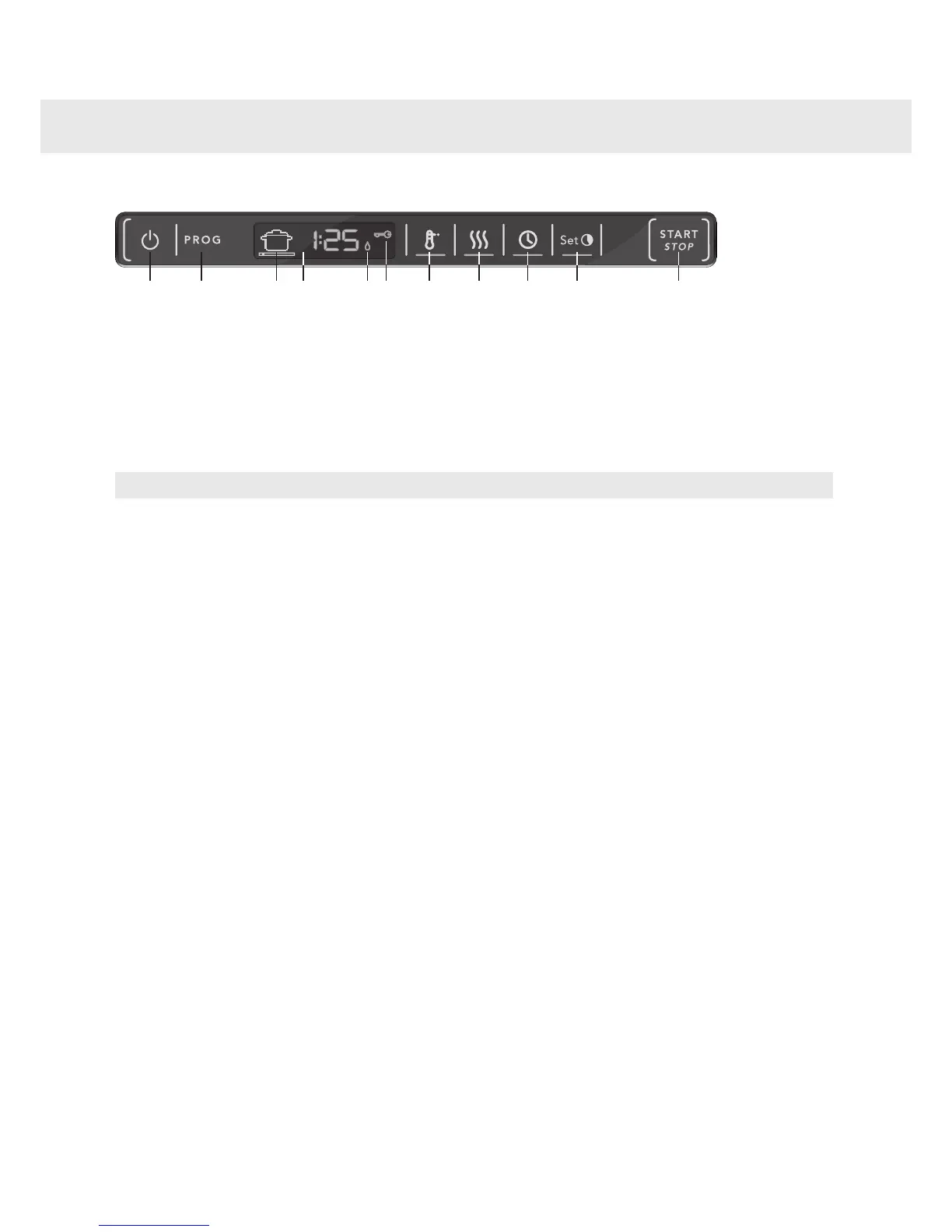
Temperature
7.
Main power switch
1.
Drying
8.
Program selector
2.
Delayed start
9.
Program symbol
3.
Set time (for the Time program)
10.
Display
4.
Start/Stop
11.
Rinse aid indicator
5.
Child lock (button lock)
6.
NOTE!
•
The touch buttons only react to use when the door is open. Wait a moment before pressing the touch buttons
after opening the door.
•
Two minutes after the last button press, the panel backlight enters energy saving mode. Close and reopen
the door, or press the main power switch, to reactivate the panel.
•
Keep the touch buttons clean and free from grease. Wipe them clean with a dry or slightly damp cloth. Never
use cleaners – they can scratch the surface. Use the main power switch to turn off the dishwasher before
cleaning the touch buttons to avoid activating any buttons unintentionally.
10
Front panel


 To Next Page