Service manual WM70.C
7
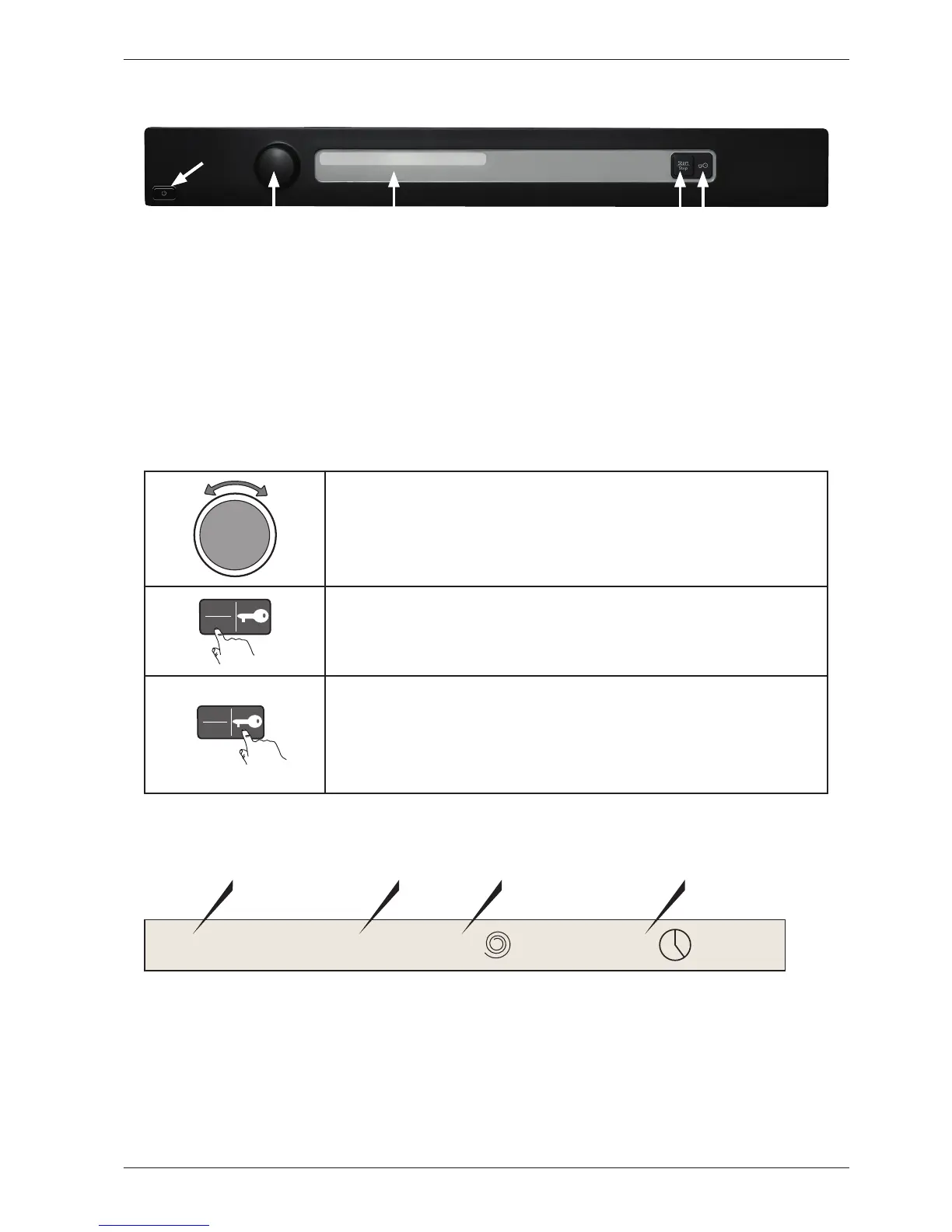
Panel WM70.C
Programmes: A total of twenty-two programmes, three of which can be customised via the
service menu. A maximum of ten programmes can be activated/available to the
end user at the same time.
Settings: Four (Language, Child-safe start, Automatic door opening, Temperature)
Knob and button descriptions
Programme selector
Turn clockwise or anti-clockwise to cycle through the different
programmes and options in the various menus.
Start
Stop
Start/Stop button
• Start programme
• Stop programme. Press and hold for 3 seconds.
Start
Stop
Key button
• Opens the door once the programme has ended.
• Opens the door during a programme to add more laundry.
• Confirm selection in the settings and service menus.
LCD description
Normal wash 60°C 1600 2:20
Programme name
Temperature
Spin speed
Estimated
remaining time
J1
LCD
S4
S5
S1



 To Next Page