Service manual WM70.C
32
Panel and control card replacement
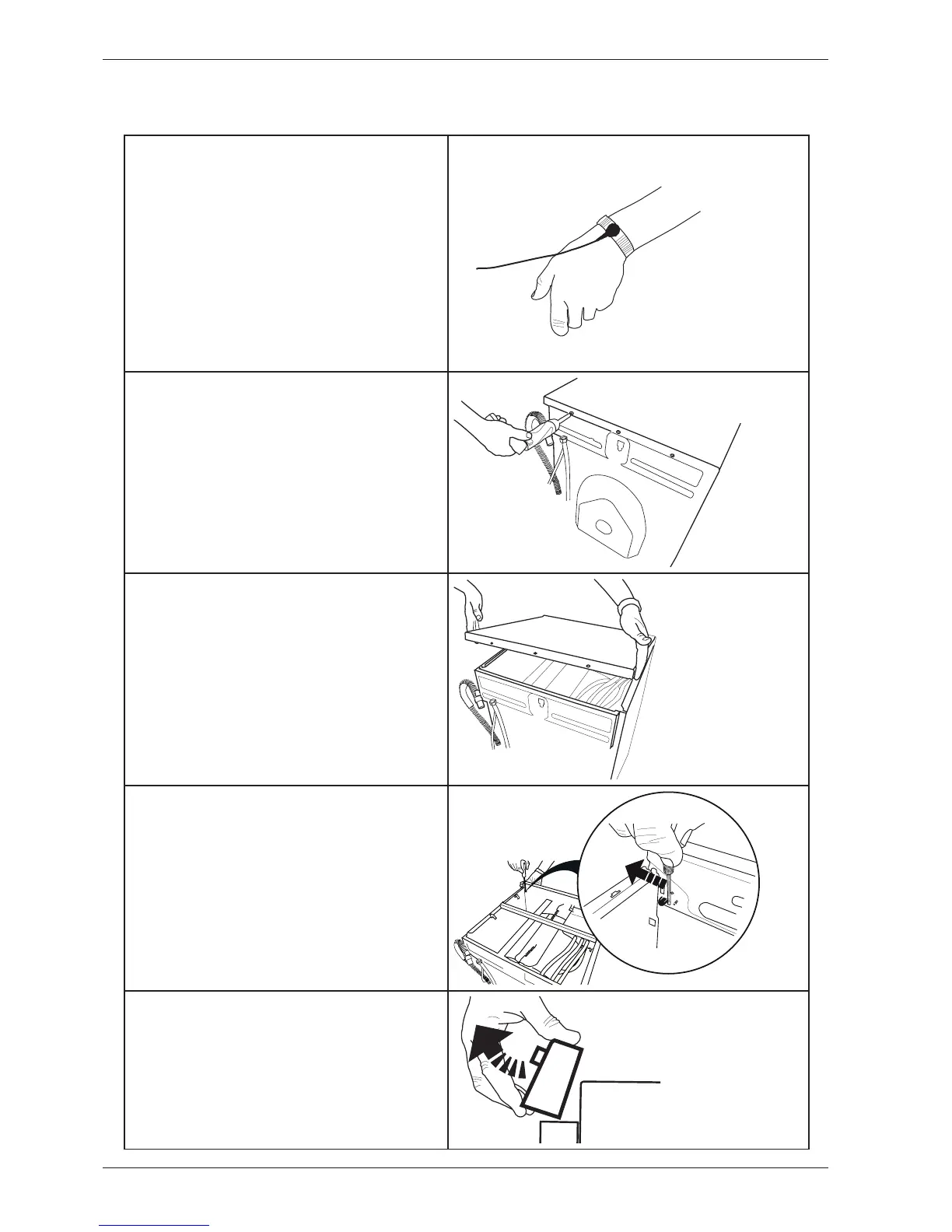
1. Attach the anti-static wristband to a part
of the machine that is earthed!
NB: An anti-static wristband must be used,
otherwise you risk destroying the control
card.
2. Undo the three screws holding the top
cover in place.
3. Remove the top cover.
4. Use a screwdriver to carefully free the
panel. As you do so, carefully angle the panel
outwards.
5. Remove the panel and the cables. NB:
Don't forget to remove the pressure sensor
tube.



 To Next Page