V400 – Installation Guide
U-0398-0607.doc – Issue: 03 complete, approved
Page 9 of 24
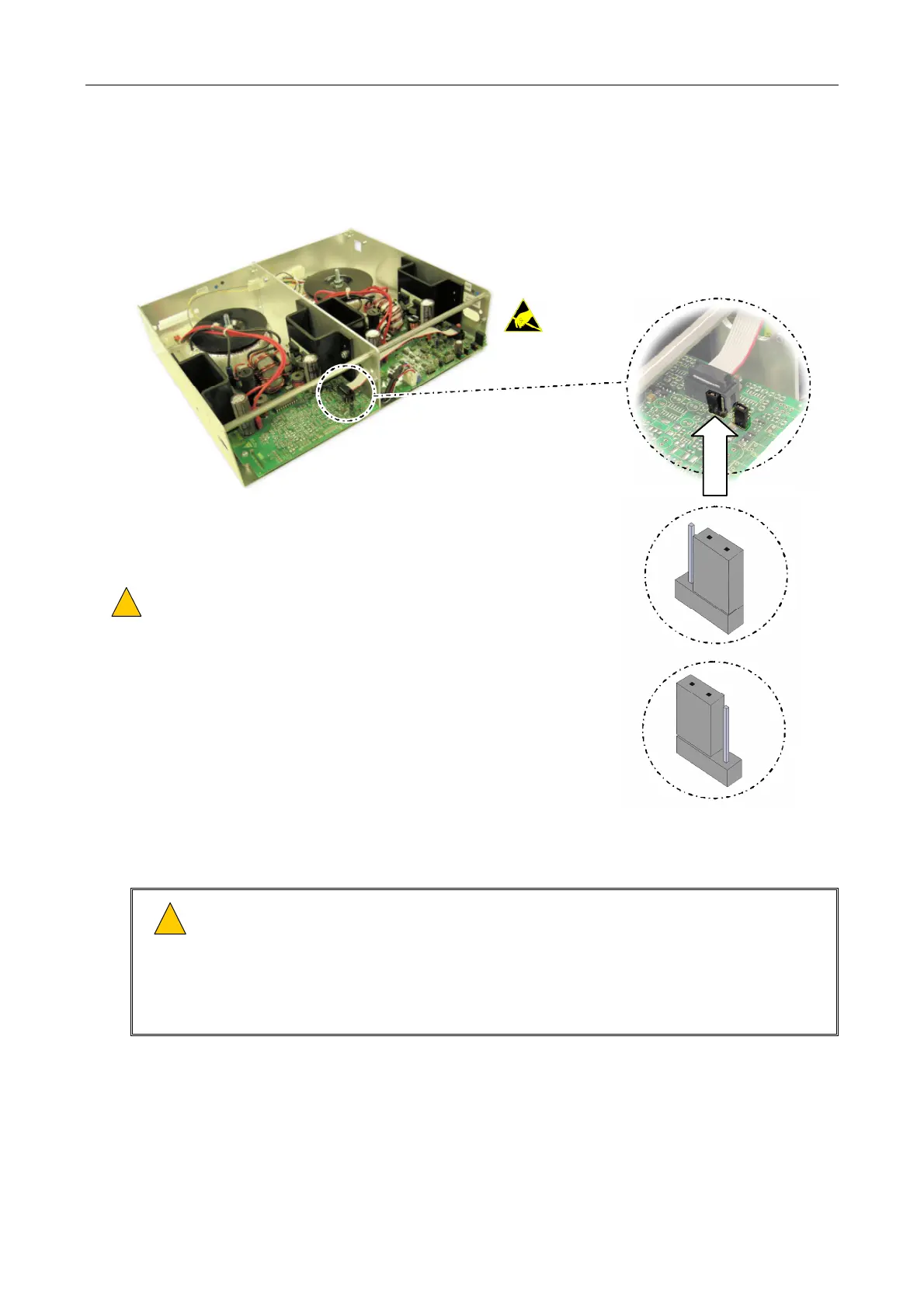
3. If a M400 Amplifier Module is being inserted, and connected to an ASL AEL (Active End of Line
Device), the link setting on the M400 Amplifier Module needs to be adjusted as shown; see Figure 3.
Figure 3 Setting the link on a M400
!
!
DO NOT MAKE ANY
OTHER CHANGES!
M400
EOL10K/NO LINE MONITORING
THIS IS THE DEFAULT POSITION
JUMPER SEATED ON THE TWO FRONT PINS.
THE FRONT PINS ARE POSITIONED
FURTHEST FROM THE TRANSFORMER AT
THE REAR OF THE MODULE.
AEL LINK ENABLED:
JUMPER SEATED ON THE TWO REAR
PINS. THE REAR PINS ARE POSITIONED
CLOSEST TO THE TRANSFORMER AT
THE REAR OF THE MODULE.
4. Insert the chosen amplifier modules through the front of the mainframe, using the guides on the
inside top of the mainframe to locate them correctly; see Figure 4.
!
!
1) Ensure that the amplifier module’s side panels are located in the mainframe slides on the
inside top of the mainframe.
2) Ensure that the amplifier module is pushed fully home so that its rear connector(s) mates
the matching connector(s) in the mainframe.
3) Do not change any hardware settings on the amplifier module. These are set in manufacture
for optimum performance.


 To Next Page
 Loading...

