8
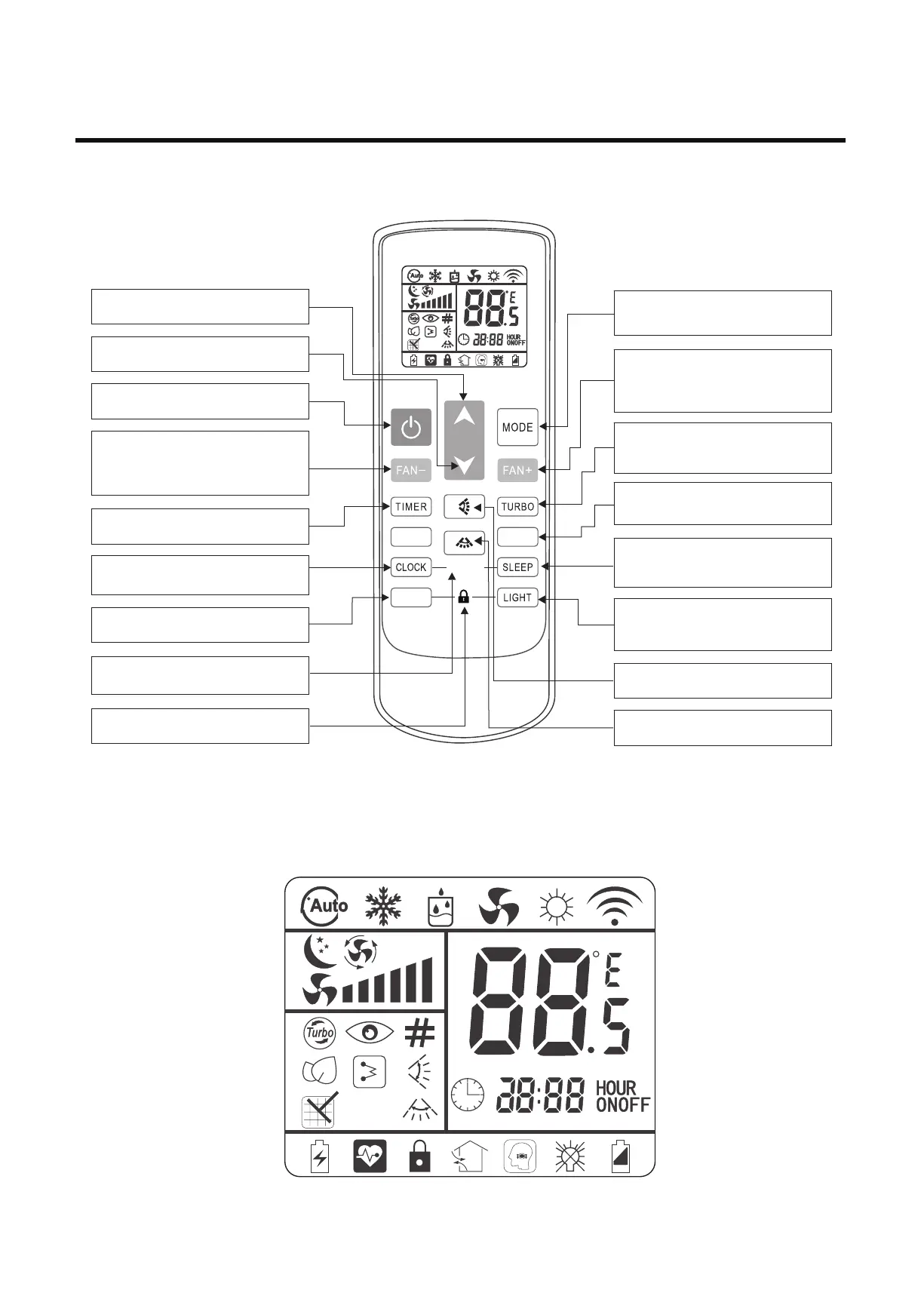
3.2 Instructions of remote controller model 2
.
Temperature addition
Increase the setting temperature.
Temperature reduction
Decrease the setting temperature.
Mode
Select modes, including automatic, cooling,
dehumidification, fan and heating mode.
Fan speed +
Increase fan speed in one gear. Highest wind
speed will switch to the automatic wind, and
switch to the minimum wind when pressing
again.
Turbo
Enter the turbo function. Decide whether to
have this function according to the actual
model.
ECO
Automatically set 26 ℃ in cooling or heating
mode.
Sleep
Enter the sleep function. Decide whether to
have this function according to the actual
model.
Light
Turn on or turn off the display panel. Decide
whether to have this function according to the
actual model.
Up and down swinging
Open the external pendulum wind.
Left and right swinging
Open the internal pendulum wind.
“ON/OFF”
Open or close the air-conditioner.
Timer
Setting timing ON/OFF.
Clean
Clean the machine dust
Lock
Lock the remote controller buttons.
Clock
Modify the current time of the remote
controller.
Ionizer
Remove PM2.5 and adsorbed toxic
gas from the air.
Fan speed -
Reduce fan speed in one gear. Minimum
wind speed will switch to the automatic wind,
and switch to the highest wind when pressing
again.
CLEAN
IONIZER
ECO
1. The icon meaning of remote controller model 1
3. Remote Controller Manual


 To Next Page