5
To start the selected washing program or pause it when the
dishwasher is working.
Start/Pause7
Display
Warning
indicator
9
Child lock
Salt
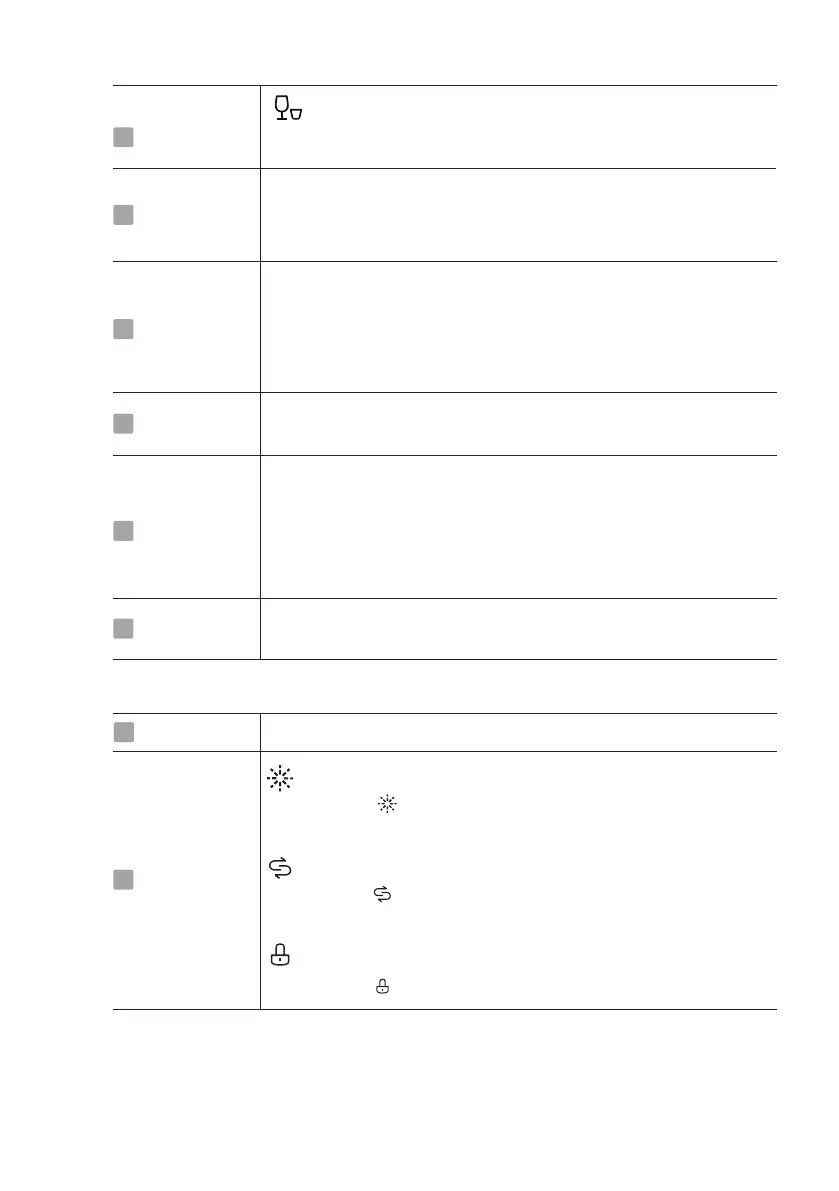
If the “ ” indicator is lit, it means the dishwasher is low
Rinse Aid
If the “ ” indicator is lit, it means the dishwasher is low
If the “ ” indicator is lit, it means the child lock is on.
Delay time
8
To show the delay time (3h/6h/9h).
Delay time
8
Child lock
Extra Drying
This option allows you to lock the buttons on the control panel
- except the Power button - so children cannot accidently start
the dishwasher by pressing the buttons on the panel.
To lock or unlock the buttons on the control panel, press and
hold the Delay button + Half-load button for 3 seconds
This function can make the drying effect better. (It can only be
used with Intensive, Universal, ECO, 90 min and Glass.)
5
6
3
Half-load
When you have about or less than half of full place settings
dishware to wash, you can choose this function to save
energy and water.
(It can only be used with Intensive, Universal, ECO, 90 min
4
Rapid
A shorter wash for lightly soiled loads that do not
need drying.
Program2
Delay -/+
Press the “+”button to add the delay time or press
the “-”button to decrease the delay time, 3H/6H and 9H
delay can be defined.


 To Next Page