9
APV1200
Product Information
The microcomputer ceramic hob can meet different kinds of cuisine demands
because of resistance wire heating, micro-computerized control and multi-power
selection, really the optimal choice for modern families.
The ceramic hob centers on customers and adopts personalized design. The hob
has safe and reliable performances, making your life comfortable and enabling to
fully enjoy the pleasure from life.
Before using your New Ceramic Hob
• Read this guide, taking special note of the ‘Safety Warnings’ section.
• Remove any protective film that may still be on your ceramic hob.
Using the Touch Controls
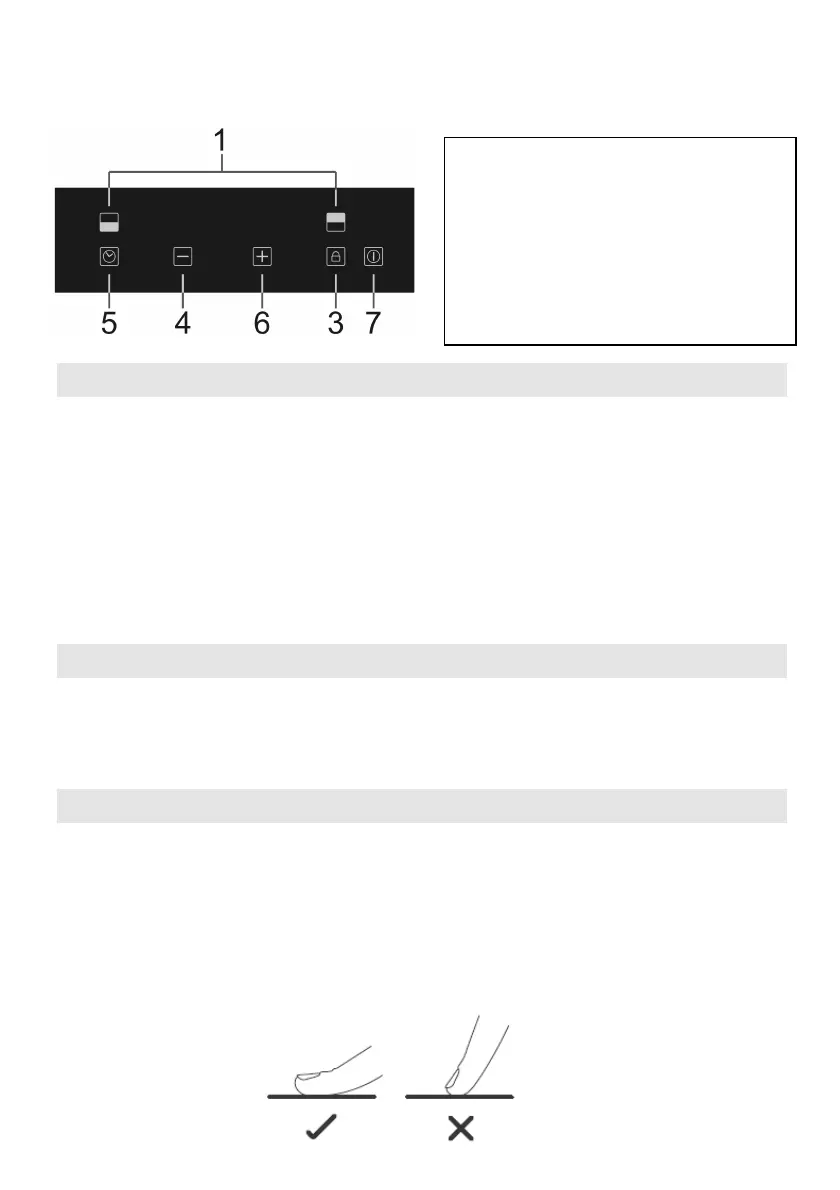
• The controls respond to touch, so you don’t need to apply any pressure.
• Use the ball of your finger, not its tip.
• You will hear a beep each time a touch is registered.
• Make sure the controls are always clean, dry, and that there is no object (e.g. a
utensil or a cloth) covering them. Even a thin film of water may make the
controls difficult to operate.
1. Heating zone selection controls
3. Keylock control
4. Minus button
5. Timer control
6. Plus button
7.ON/OFF control



 To Next Page