11
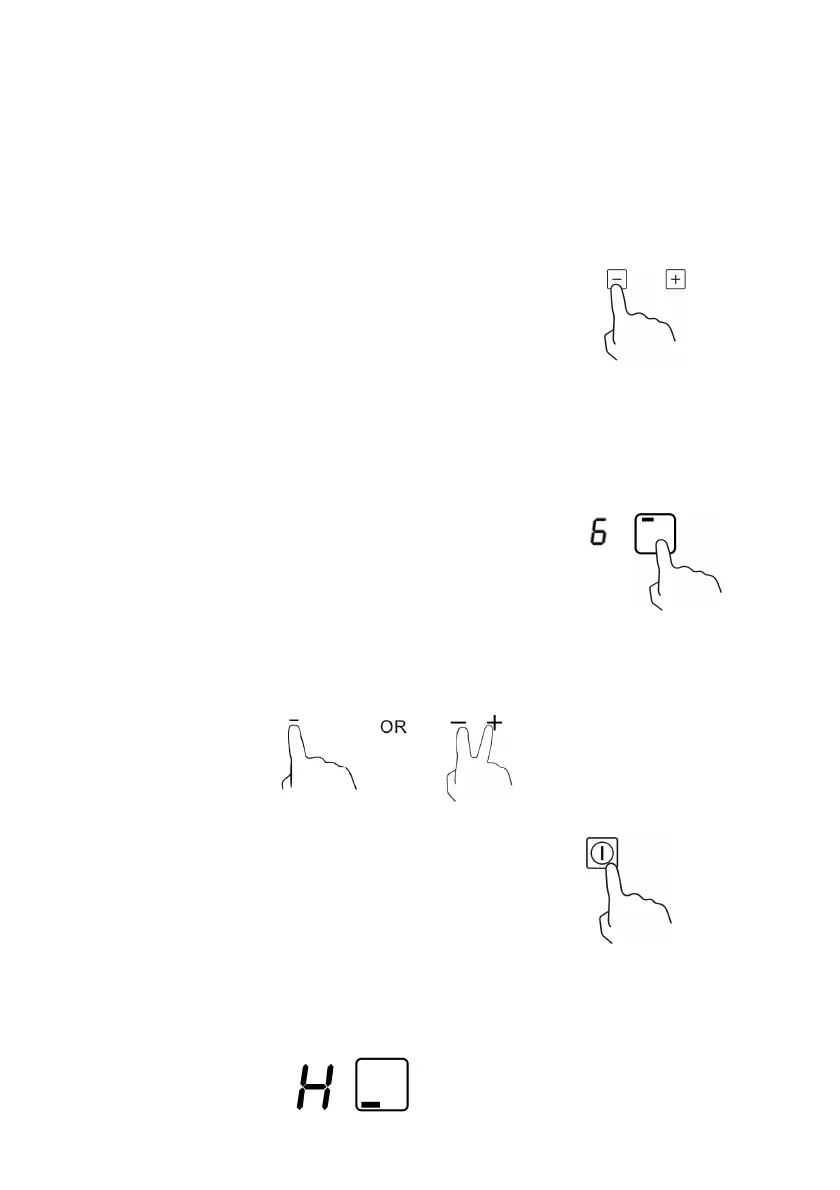
3. Touching the heating zone selection control ,and
a indicator next to the key will flash
4. Select a heat setting by touching the “-“ or “+”
control.
• If you don’t choose a heat setting within 1
minute, the Ceramic hob will automatically
switch off. You will need to start again at
step 1.
• You can modify the heat setting at any time
during cooking.
When you have finished cooking
1. Touching the heating zone selection
control that you wish to switch off
2. Turn the cooking zone off by scrolling down to”0” or touching”-“ and”+”
control together. Make sure the display shows”0”
3. Turn the whole cooktop off by touching the
ON/OFF control.
4. Beware of hot surfaces
H will show which cooking zone is hot to touch. It will disappear when the
surface has cooled down to a safe temperature. It can also be used as an
energy saving function if you want to heat further pans, use the hotplate that
is still hot.



 To Next Page