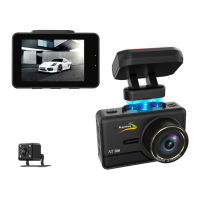
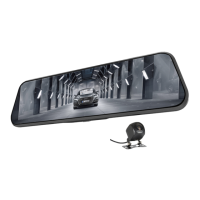
Need help?
Do you have a question about the Aspiring Expert 6 and is the answer not in the manual?
Enables automatic overwriting of old video to prevent SD card full.
Records automatically when motion is detected in standby mode for car safety.
Senses sudden shocks and locks crash video for evidence.
Turn device on/off and start/stop video recording.
Take photos using the OK button in photo mode.
Play recorded videos and navigate basic device functions using OK, Up, and Down buttons.
Access main menu settings by pressing the Menu button.
Switch between Video, Photo, and Playback modes using the Mode button.
Switch to playback mode and browse files using UP/DOWN buttons.
Delete or protect selected files or all files from memory card.
Download the HIT GPS Player from the website and follow installation steps.
Follow on-screen prompts for installation, select folder, and complete setup.
Choose Google map, set language, and select videos for playback.
Troubleshoot 'SD card full' errors related to card compatibility, formatting, or locked files.
Resolve continuous auto on/off by disabling Parking Monitor, G-Sensor, and Motion Detect.
Troubleshoot freezing during recording by checking the memory card or firmware.
Improve image clarity by setting the highest resolution (1080P) and checking lighting conditions.
 General
| Viewing Angle | 170° |
|---|---|
| Loop Recording | Yes |
| G-Sensor | Yes |
| Parking Mode | Yes |
| GPS | No |
| Night Vision | Yes |
| Video Resolution | 1920x1080 |

 To Next Page