35
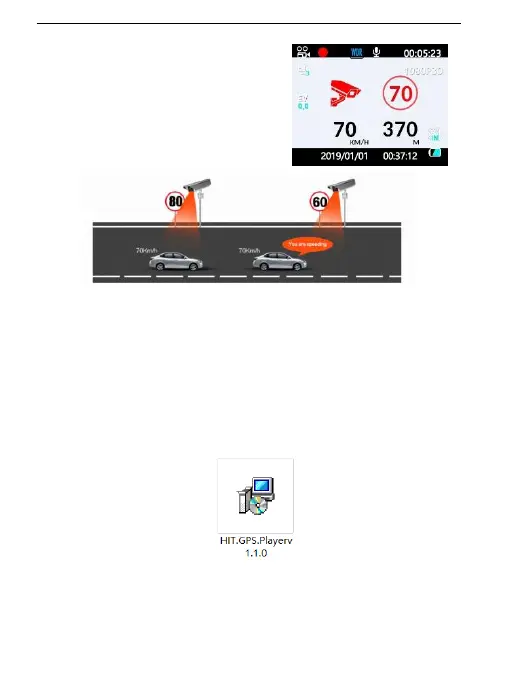
Speed database
Built-in over 2 million national fixed
speed database, red light photo
reminder, accurately identify the speed
capture road section, broadcast
reminder in advance
Installation of "HIT" GPS Player
Step 1: Download the player “HIT" on the website.
link: h†ps://pcgps.ce2ce.com/hit/hitplayer.html
Step 2: Double Click "HIT.GPS.Playerv1.1.0" to start installation.
Step 3: Click "Next"


 To Next Page