EasyManua.ls Logo

Aspiring MAXI 3 - Page 25

Aspiring MAXI 3
Print Icon
To Next Page IconTo Next Page
To Previous Page IconTo Previous Page
Loading...
25
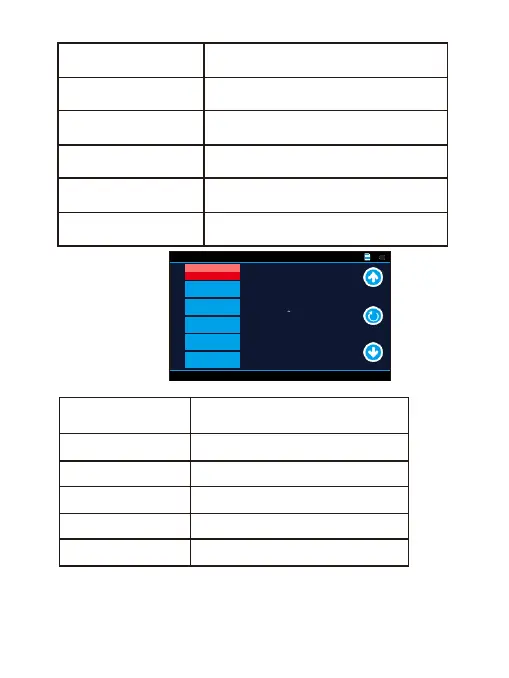
Volume
Set the volume
LCD Power Save
Select screen saver time
LED Light
Car video on / o LED light mode
Flicker
Light source frequency (50 Hz / 60 Hz)
Protect Level
Adjust sensitivity level for the
gravity sensor
Parking Monitoring
Adjust sensitivity level for the
parking mode
Motion Detection
Activate / Deactivate motion
detection trigger recording
GPS Status
Show GPS status
Time Zone Select
Set time zone
Reset Setup
Select to revert to factory settings
Format SD-Card
Select to format the memory card
Clock SeUngs
Set date and time
General Settings
3 /4
Off
GMT+08:0
0
GPS Status
Time Zone
Select
Reset Setup
Format SD-Card
Clock Settings
Motion
Detection

Related product manuals