English
26
2.4 Expansion Slot (PCI Express Slot)
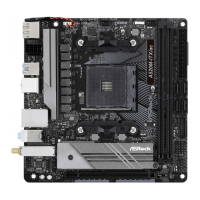
ere is 1 PCI Express slot on the motherboard.
PCIe slots:
PCIE1 (PCIe 3.0 x16 slot) is used for PCI Express x16 lane width graphics cards.
* AMD Ryzen series CPUs (Matisse) supports PCIe riser cards to extend x8/x8 slots
Before installing an expansion card, please make sure that the power supply is
switched o or the power cord is unplugged. Please read the documentation of the
expansion card and make necessary hardware settings for the card before you start
the installation.
For a better thermal environment, please connect a chassis fan to the motherboard’s
chassis fan connector (CHA_FAN1/WP or CHA_FAN2/WP) when using multiple
graphics cards.


 To Next Page
 Loading...