English
55
A620M-C
2.17 Change Screen Brightness for eDP in Windows®
is section explains how to change screen brightness in Windows® when you use
an eDP panel.
Setup Guide
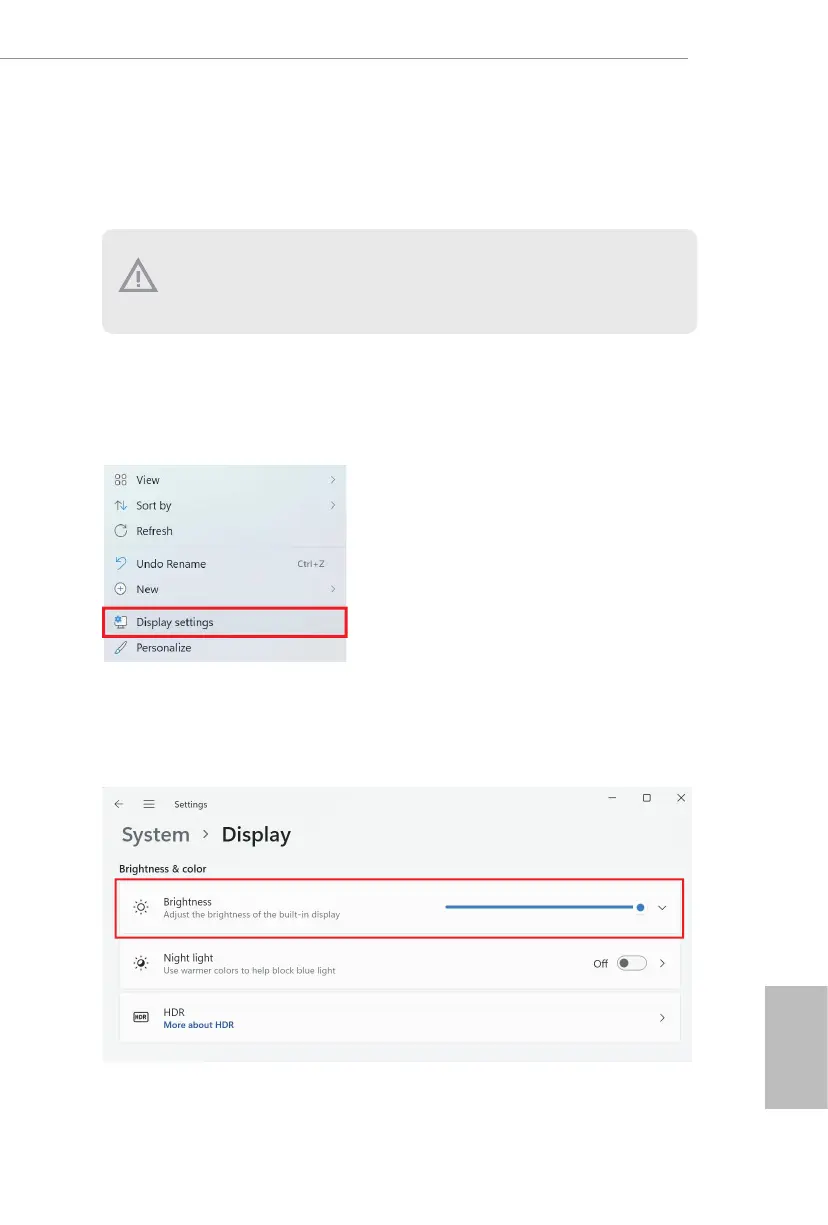
Step 1
Right click on desktop. Select Display settings.
Step 2
In System > Display, select Brightness. Move the slider to ne-tune the brightness
level.
e following is a setup example for Windows® 11. Setup procedures may vary from
dierent operating systems.






 To Next Page