English
23
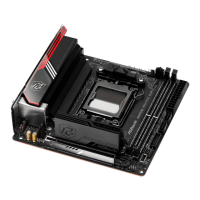
B550 Phantom Gaming-ITX/ax
*e diagrams shown here are for reference only. e headers might be in a dierent position
on your motherboard.
2.3 Installing Memory Modules (DIMM)
is motherboard provides two 288-pin DDR4 (Double Data Rate 4) DIMM slots,
and supports Dual Channel Memory Technology.
AMD non-XMP Memory Frequency Support
Ryzen Series CPUs (Matisse):
Ryzen Series APUs (Renoir):
1. For dual channel conguration, you always need to install identical (the same
brand, speed, size and chip-type) DDR4 DIMM pairs.
2. It is unable to activate Dual Channel Memory Technology with only one memory
module installed.
3. It is not allowed to install a DDR, DDR2 or DDR3 memory module into a DDR4
slot; otherwise, this motherboard and DIMM may be damaged.
UDIMM Memory Slot
Frequency
(Mhz)
A1 B1
SR - 3200
- SR 3200
DR - 3200
- DR 3200
SR SR 3200
DR DR 3200
UDIMM Memory Slot
Frequency
(Mhz)
A1 B1
SR - 3200
- SR 3200
DR - 3200
- DR 3200
SR SR 3200
DR DR 3200


 To Next Page
 Loading...