English
73
B550 Phantom Gaming-ITX/ax
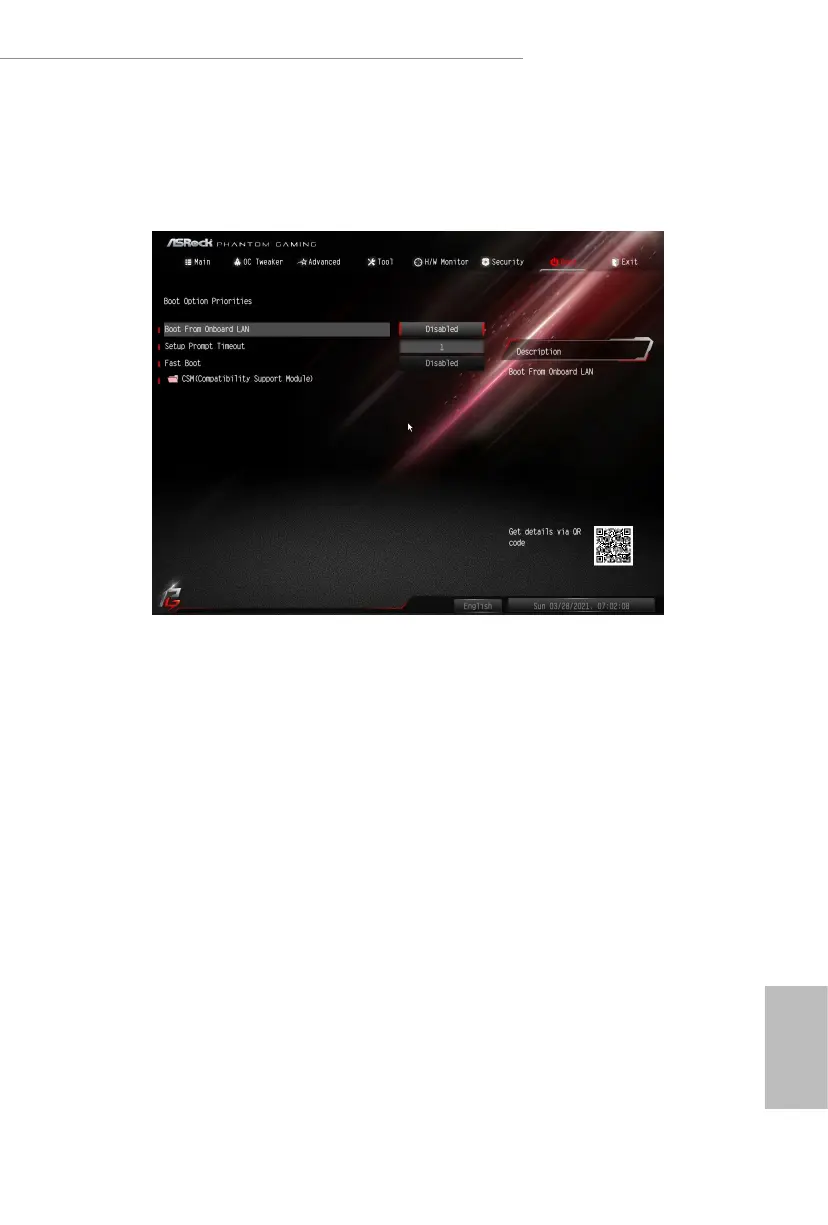
4.8 Boot Screen
is section displays the available devices on your system for you to congure the
boot settings and the boot priority.
Boot From Onboard LAN
Allow the system to be waked up by the onboard LAN.
Setup Prompt Timeout
Congure the number of seconds to wait for the setup hot key.
Fast Boot
Fast Boot minimizes your computer's boot time. In fast mode you may not boot
from an USB storage device.


 To Next Page
 Loading...