
 Need help?
Do you have a question about the ASROCK B550M-C R2.0 and is the answer not in the manual?
Lists all items included in the motherboard package for user verification.
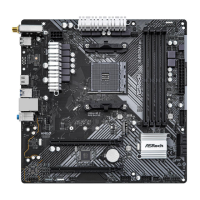
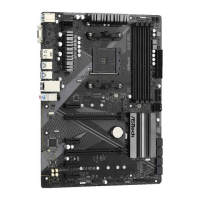
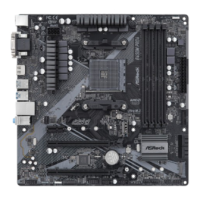
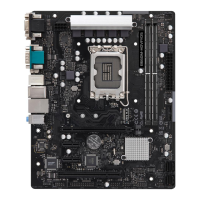
Detailed technical specifications of the motherboard hardware components.
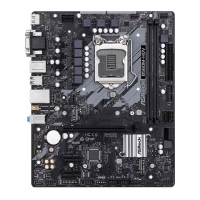
Visual diagram identifying the location of key motherboard components.
Details and functions of the rear panel input/output connectors.
Information regarding the onboard Wi-Fi 6E module and antenna installation.
Step-by-step instructions for safely installing the CPU into the motherboard socket.
Guide for mounting the CPU cooler and heatsink for effective heat dissipation.
Procedure for installing DDR4 DIMM memory modules into the motherboard slots.
Information on using PCI Express slots for graphics cards and other expansion cards.
Explanation of jumper settings and their impact on motherboard functions.
Details on connecting internal components to motherboard headers.
Guide to using the Post Status Checker for diagnosing boot issues.
Instructions for setting up and using AMD CrossFire™ multi-GPU technology.
Specific steps for installing dual graphics cards for CrossFire™.
Guide for installing drivers and Catalyst Control Center for CrossFire™.
Procedure for installing an M.2 NVMe SSD into the M2_1 slot.
Procedure for installing an M.2 SATA or NVMe SSD into the M2_2 slot.
Instructions for downloading and installing necessary system drivers.
Guide to using ASRock's A-Tuning software for system monitoring and control.
Overview of the ASRock store for software downloads and system updates.
Guide to customizing RGB lighting effects using the Polychrome SYNC utility.
Overview of the UEFI BIOS utility and its purpose.
Explanation of the menu bar options within the UEFI interface.
Keybindings and controls for navigating the UEFI setup screens.
Display of system information and status on the UEFI Main screen.
Configuration options for system overclocking and performance tuning.
Detailed settings for advanced system configurations and features.
Settings related to CPU features, modes, and performance.
Management of integrated motherboard devices like audio and networking.
Configuration options for SATA ports, modes, and hot-plugging.
Settings for Advanced Configuration and Power Interface (ACPI) features.
Configuration options for trusted platform module and security device support.
Access to AMD specific chipset configuration options.
Configuration options for AMD platform security and firmware features.
Specific settings for overclocking AMD processors.
Access to various diagnostic and utility tools within the UEFI.
Monitoring system hardware status including temperatures, fan speeds, and voltages.
Configuration of supervisor and user passwords for system security.
Settings for boot device priority and boot behavior.
Options for saving changes, discarding changes, and loading defaults.
 General
| Form Factor | Micro ATX |
|---|---|
| Chipset | AMD B550 |
| Socket | AM4 |
| Max Memory | 128GB |
| Memory Speed | DDR4 4733+(OC) |
| PCIe x16 Slots | 1 |
| USB 3.2 Gen1 (Rear) | 4 |
| USB 2.0 (Rear) | 2 |
| USB 3.2 Gen1 (Front) | 2 |
| USB 2.0 (Front) | 2 |
| RAID Support | RAID 0, 1, 10 |
| Memory Slots | 4 |
| PCIe x1 Slots | 1 |
| Storage Interface | 6 x SATA3 |
| M.2 Slots | 1 |
| LAN | Realtek RTL8111H |
| Audio | 7.1 CH HD Audio (Realtek ALC897 Audio Codec) |


 To Next Page