English
17
B650E PG Riptide WiFi
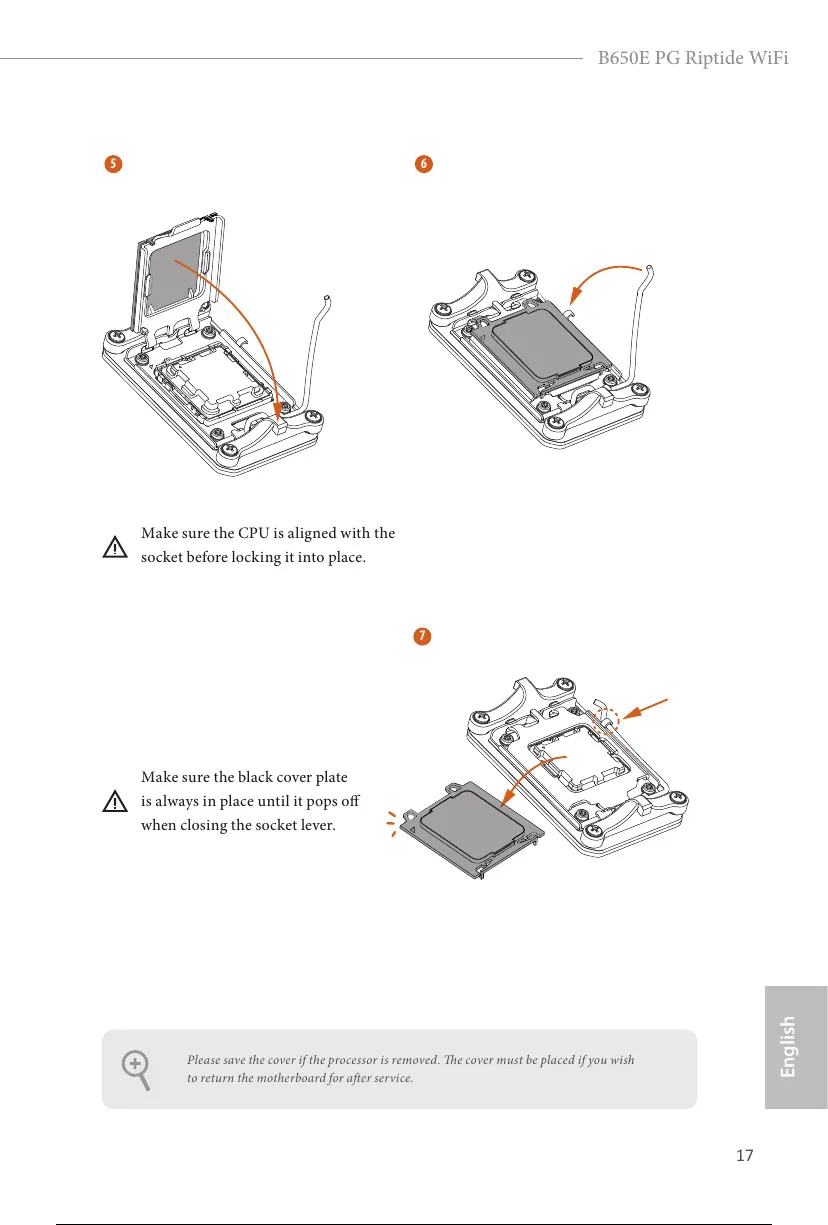
Carefully place the CPU in as at as
possible. Do not drop it.
6
7
5
Please save the cover if the processor is removed. e cover must be placed if you wish
to return the motherboard for aer service.
Make sure the black cover plate
is always in place until it pops o
when closing the socket lever.
Make sure the CPU is aligned with the
socket before locking it into place.
22 / 73






 To Next Page