
 Need help?
Do you have a question about the ASROCK B85M and is the answer not in the manual?
Important safety and handling guidelines to follow before installing motherboard components.
Provides step-by-step instructions for correctly installing the Central Processing Unit (CPU).
Guides users on mounting the CPU cooler assembly for effective heat dissipation.
Explains the process for inserting RAM modules into the motherboard's DIMM slots.
Details the types and configurations of PCI and PCIe slots for add-on cards.
Identifies and describes the purpose of various onboard headers and connectors on the motherboard.
Guides on installing essential system drivers from the support CD for proper hardware function.
Details the screen for configuring overclocking features and system performance tuning.
Covers various advanced system configuration settings.
Settings for managing CPU features, cores, and power states.
Configuration options related to the motherboard's chipset and integrated peripherals.
 General
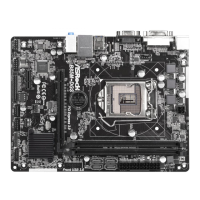
| Form Factor | Micro ATX |
|---|---|
| Chipset | Intel B85 |
| Socket | LGA 1150 |
| Maximum Memory | 32GB |
| Memory Slots | 4 |
| Memory Standard | DDR3 |
| PCIe Slots | 1 x PCIe 3.0 x16 |
| SATA Ports | 4 x SATA3 6Gb/s, 2 x SATA2 3Gb/s |
| USB Ports | 8 x USB 2.0 |
| LAN | Realtek RTL8111GR |
| Video Outputs | 1 x DVI-D, 1 x D-Sub |







 To Next Page
