
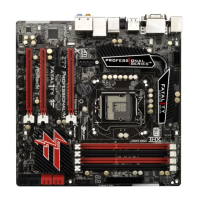
 Need help?
Do you have a question about the ASROCK Fatal1ty Z77 Professional-M series and is the answer not in the manual?
 General
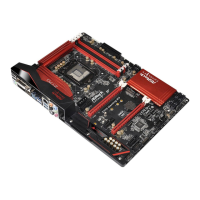
| Chipset | Intel Z77 |
|---|---|
| CPU Socket | LGA 1155 |
| Max Memory | 32GB |
| Memory Standard | DDR3 2800+(OC)/2400(OC)/2133(OC)/1866(OC)/1600/1333/1066 |
| PCI Slots | 1 |
| Audio Chipset | Realtek ALC898 |
| LAN Chipset | Broadcom BCM57781 |
| Max. LAN Speed | 10/100/1000Mbps |
| Form Factor | Micro ATX |
| RAID Support | RAID 0, 1, 5, 10 |
| Memory Slots | 4 |
| PCI Express x16 | 2 x PCI Express 3.0 x16 |
| PCI Express x1 | 1 x PCI Express 2.0 x1 |
| SATA 6Gb/s | 4 x SATA 6Gb/s |
| SATA 3Gb/s | 4 x SATA 3Gb/s |
| USB 3.0 | 4 (2 rear, 2 via header) |
| USB 2.0 | 8 x USB 2.0 ports (4 on the rear panel, 4 via headers) |
| Audio | 7.1 Channel HD Audio |
| LAN | Gigabit LAN |
| Dimensions | 9.6" x 9.6" |
| Power Pin | 24 Pin |
| Onboard Video Chipset | Depends on CPU (Intel HD Graphics) |
| Multi-GPU Support | NVIDIA SLI, AMD CrossFireX |
Details the technical specifications of the motherboard, including platform, CPU, chipset, memory, expansion slots, and graphics.
Essential safety guidelines and handling precautions before installing motherboard components.
Step-by-step instructions for correctly installing the CPU into the motherboard socket.
Guidance on how to properly install the CPU cooling fan and heatsink assembly.
Instructions for installing DDR3 memory modules into the DIMM slots for dual channel configuration.
Explanation of Dr. Debug diagnostic codes for troubleshooting system startup issues.
Instructions for installing Serial ATA (SATA) and SATA2 hard disk drives.
Instructions for installing Serial ATA3 (SATA3) hard disk drives.
General instructions for installing system drivers from the support CD.
Steps for installing Windows 7/Vista operating systems with RAID configurations.
Steps for installing Windows 7/Vista/XP operating systems without RAID configurations.
Section for configuring overclocking features, CPU ratios, and memory timings.
Provides access to advanced system configuration settings.
Settings related to CPU features, core control, and virtualization technologies.








 To Next Page