51
English
H110 Pro BTC+
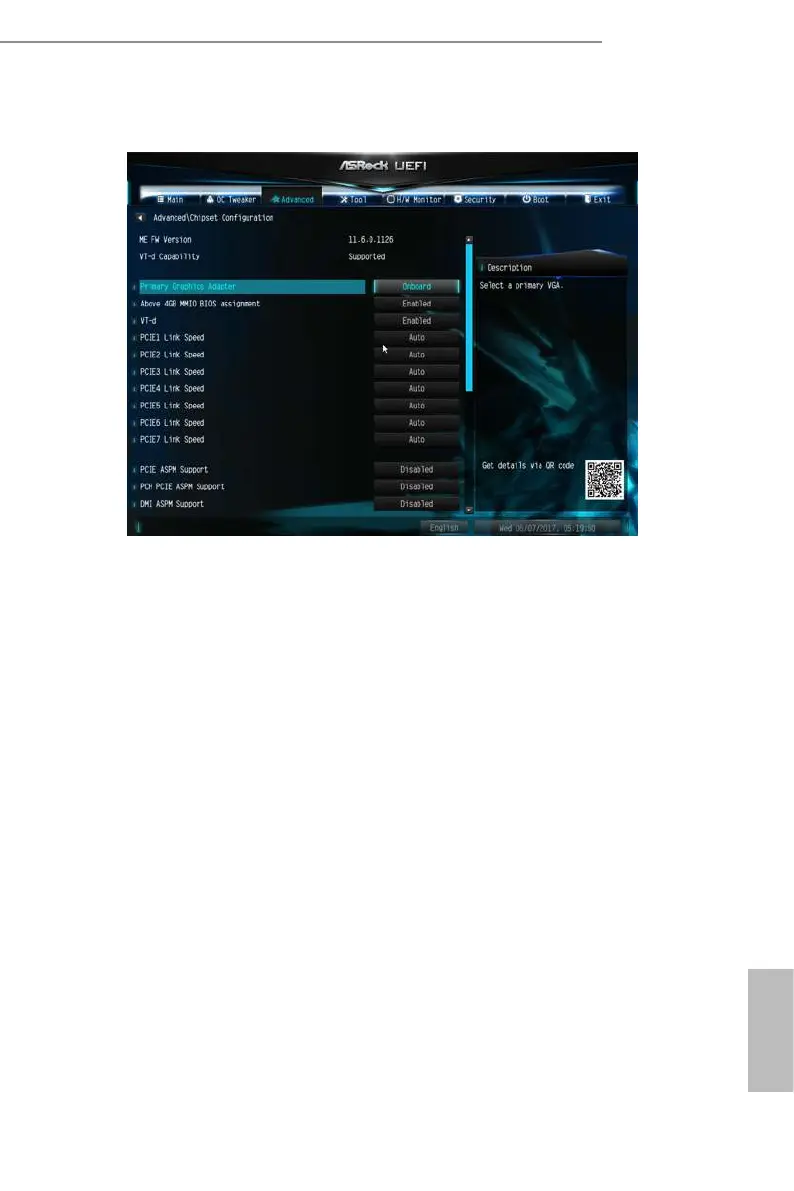
4.4.2 Chipset Conguration
Primary Graphics Adapter
Select a primary VGA.
Above 4GB MMIO BIOS assignment
Use this to enable/disable above 4GB MemoryMappedIO BIOS assignment. is is
disabled automatically when Aperture Size is set to 2048MB.
*Before installing Win7 32-bit OS, set “Above 4G” to [Disable] in BIOS to get the OS
installed successfully. Aer installing Win7 32-bit OS, still do not set “Above 4G” to
[Enable]. Setting to [Enable] will cause failure to enter OS. However, if “Above 4G”
is set to [Disable] in BIOS, the number of graphic cards in use will be limited to two
in maximum, which means users should avoid using Win7 32-bit OS to mine.
VT-d
Intel® Virtualization Technology for Directed I/O helps your virtual machine
monitor better utilize hardware by improving application compatibility and
reliability, and providing additional levels of manageability, security, isolation, and
I/O performance.
PCIE1 Link Speed
Select the link speed for PCIE1.
PCIE2 Link Speed




 To Next Page