Need help?
Do you have a question about the ASROCK H610M-ITX/ac and is the answer not in the manual?
Lists all items included in the motherboard package.
Details the technical specifications of the motherboard.
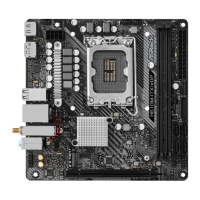
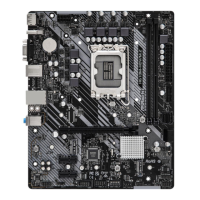
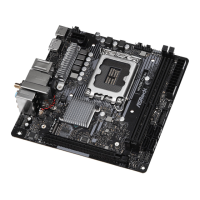
Specifies the motherboard form factor and design.
Lists supported CPU types, power design, and features.
Identifies the motherboard's chipset.
Details memory type, slots, capacity, and supported speeds.
Lists available expansion slots like PCIe and M.2.
Describes integrated graphics capabilities and outputs.
Details the audio codec and protection features.
Specifies LAN capabilities, speed, and protection.
Lists WiFi and Bluetooth standards and speeds.
Describes all ports and connectors on the back panel.
Details SATA and M.2 storage interfaces.
Lists all onboard headers and their pinouts.
Outlines BIOS capabilities and functionalities.
Describes system monitoring features for fans and voltages.
Lists supported operating systems.
Lists regulatory compliance marks and standards.
Important safety and handling guidelines before installation.
Step-by-step guide for installing the CPU onto the motherboard.
Instructions for mounting the CPU cooler and fan assembly.
Guide on how to install DDR4 memory modules into the slots.
Information on using the PCIe slot for expansion cards.
Explains the configuration and function of onboard jumpers.
Specific instructions for clearing CMOS settings.
Details on connecting front panel components to motherboard headers.
Pinout and connection guide for power/reset switches & LEDs.
Details SATA ports for storage devices.
Details USB 2.0 and USB 3.2 Gen1 headers and port support.
Guide for connecting front panel audio devices.
Instructions for connecting the chassis speaker.
Instructions for connecting chassis and water pump fans.
Details ATX and ATX 12V power connectors.
Guide for connecting addressable RGB LED strips.
Instructions for installing M.2 SSD modules.
Step-by-step process for M.2 SSD installation.
Information about ASRock's RGB lighting control utility.
How to connect RGB LED strips to the motherboard header.
How to use the ASRock Polychrome SYNC software.
 General
| Processor socket | LGA 1700 |
|---|---|
| Processor manufacturer | Intel |
| Compatible processor series | Intel Celeron, Intel Core i3, Intel Core i5, Intel Core i7, Intel Core i9, Intel Pentium |
| Maximum number of SMP processors | 1 |
| Audio chip | Realtek ALC897 |
| Component for | PC |
| Motherboard chipset | Intel H610 |
| Audio output channels | 7.1 channels |
| Motherboard form factor | mini ITX |
| DisplayPort version | 1.4 |
| USB 2.0 ports quantity | USB 2.0 ports have a data transmission speed of 480 Mbps, and are backwards compatible with USB 1.1 ports. You can connect all kinds of peripheral devices to them. |
| USB 3.2 Gen 1 (3.1 Gen 1) Type-A ports quantity | 2 |
| USB 3.2 Gen 2 (3.1 Gen 2) Type-C ports quantity | 0 |
| ATX Power connector (24-pin) | Yes |
| Number of SATA III connectors | 4 |
| LAN controller | Intel® I219-V |
| Wi-Fi standards | 802.11a, 802.11b, Wi-Fi 4 (802.11n), Wi-Fi 5 (802.11ac) |
| Top Wi-Fi standard | Wi-Fi 5 (802.11ac) |
| Ethernet interface type | Gigabit Ethernet |
| BIOS type | UEFI AMI |
| ACPI version | 6.0 |
| BIOS memory size | 128 Mbit |
| System Management BIOS (SMBIOS) version | 2.7 |
| Memory channels | Dual-channel |
| Memory slots type | DIMM |
| Supported memory types | DDR4-SDRAM |
| Maximum internal memory | 64 GB |
| Supported memory clock speeds | 3200 MHz |
| Cables included | SATA |
| Maximum resolution | 7680 x 4320 pixels |
| Parallel processing technology support | Not supported |
| RAID levels | 0, 1, 5, 10 |
| Supported storage drive types | HDD & SSD |
| Supported storage drive interfaces | M.2, SATA III |
| Harmonized System (HS) code | 84733020 |
 Weight and Dimensions
| Width | 170 mm |
|---|

 To Next Page