Need help?
Do you have a question about the ASROCK H61M-DG3/USB3 and is the answer not in the manual?
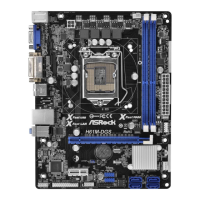
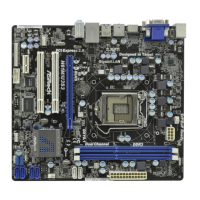
Details the technical specifications of the motherboard hardware components.
Provides safety and handling guidelines before installing components.
Step-by-step instructions for installing the CPU into the socket.
Instructions for mounting the CPU cooler and connecting its fan.
Step-by-step guide for installing RAM modules into the DIMM slots.
Information and procedures for installing expansion cards.
Guide for connecting internal storage devices via SATA interfaces.
Instructions for installing necessary system drivers from the support CD.
Guide for installing operating systems without RAID configuration.
Configuration options related to CPU features and performance.
Configuration options for the North Bridge chipset.
Configuration options for the South Bridge chipset.
Settings for SATA controllers and disk modes (IDE, AHCI).
 General
| Form Factor | Micro ATX |
|---|---|
| Socket | LGA 1155 |
| Chipset | Intel H61 |
| Memory Type | DDR3 |
| Memory Slots | 2 |
| Max Memory | 16 GB |
| Memory Standard | DDR3 1066/1333 |
| Expansion Slots | 1 x PCIe 2.0 x16, 1 x PCIe 2.0 x1, 1 x PCI |
| RAID Support | No |
| SATA | 4 x SATA 3Gb/s |
| USB Ports | 2 x USB 3.0 |
| Video Outputs | 1 x DVI-D |
| Audio | Realtek ALC662 |
| LAN | Realtek RTL8111E |
| BIOS | UEFI BIOS |

 To Next Page