Need help?
Do you have a question about the ASROCK H61M-ITX and is the answer not in the manual?
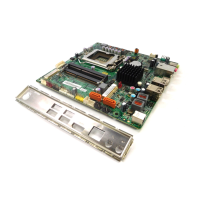
Lists all items included in the ASRock H61M-ITX motherboard package.
Details the technical specifications of the ASRock H61M-ITX motherboard.
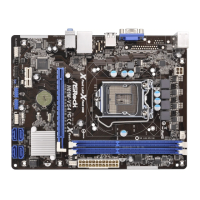
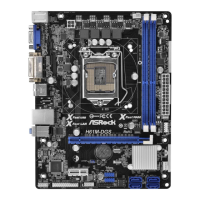
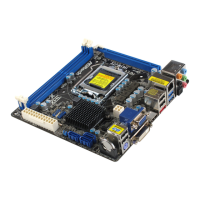
Identifies and labels key components and connectors on the motherboard.
Describes the rear panel input/output ports and their functions.
Instructions on placing screws to secure the motherboard to the chassis.
Safety and handling precautions before installing motherboard components.
Step-by-step guide for installing the Intel 1155-Pin CPU into the socket.
Guide for mounting the CPU heatsink and fan, and connecting the fan header.
Instructions for installing DDR3 memory modules into the DIMM slots.
Procedure for installing an expansion card into the PCI Express slot.
How to set up dual monitor and surround display configurations.
Guide for installing and using the ASRock Smart Remote with CIR header.
Explanation of jumper settings, specifically the Clear CMOS Jumper.
Details on various onboard headers and connectors for system components.
Guide for installing SATA/SATAII hard disks for internal storage.
Explanation of the Hot Plug function for SATA/SATAII HDDs in AHCI mode.
Detailed operation guide for hot-plugging SATA/SATAII HDDs.
Instructions for installing drivers from the support CD for the system.
Procedures for installing various Windows OS versions without RAID.
Steps to install Windows XP/XP 64-bit OS on SATA/SATAII HDDs without RAID.
Steps to install Windows 7/Vista OS on SATA/SATAII HDDs without RAID.
Explains how to use the UEFI SETUP UTILITY to configure the system.
Describes the main menu bar options within the UEFI setup utility.
Details the function of navigation keys used within the UEFI setup utility.
Displays the system overview upon entering the UEFI SETUP UTILITY.
Screen for configuring overclocking features and system performance.
Section for detailed system configuration settings.
Settings related to CPU features, cores, and power management.
Configuration options for the North Bridge chipset features.
Configuration options for the South Bridge chipset features.
Settings for SATA mode and controller configuration.
Configuration for Super IO related devices like CIR controller.
Advanced Configuration and Power Interface settings for power management.
Settings for USB controllers, legacy support, and USB 3.0.
Monitors system hardware status like temperatures, fan speeds, and voltages.
Configures boot settings, device priority, and boot behavior.
For setting supervisor and user passwords for system security.
Options for saving or discarding changes and exiting the UEFI setup utility.
Overview of supported Microsoft Windows operating systems for installation.
Details on the contents of the support CD, including drivers and utilities.
Instructions on how to start and use the support CD.
Describes the drivers available on the support CD for system devices.
Lists the utility software provided on the support CD.
Provides contact details for ASRock technical support and website.
 General
| Brand | ASROCK |
|---|---|
| Model | H61M-ITX |
| Category | Motherboard |
| Language | English |

 To Next Page