Need help?
Do you have a question about the ASROCK J3455-ITX and is the answer not in the manual?
Lists essential items included with the motherboard package for installation and setup.
Details technical specifications of the motherboard, including CPU, memory, graphics, and connectivity.
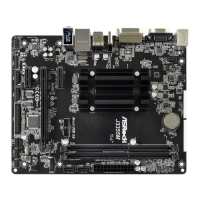
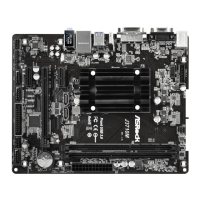
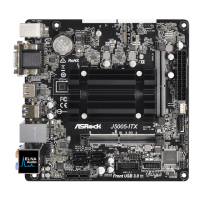
Provides a visual diagram identifying key components and connectors on the motherboard.
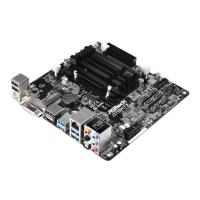
Illustrates and describes the rear input/output ports for external device connections.
Step-by-step instructions for correctly installing SO-DIMM memory modules into the motherboard slots.
Information on the single PCI Express slot and its usage for expansion cards.
Explains the configuration of jumpers on the motherboard for system settings like CMOS reset.
Details on various internal headers and connectors for system panel, fans, and USB ports.
Instructions for installing an M.2 WiFi/BT module into the designated slot.
Guide to installing necessary drivers and utilities from the provided support CD for system functionality.
Overview of the ASRock Live Update & APP Shop for downloading software, drivers, and utilities.
Explains how to access and navigate the UEFI SETUP UTILITY for system configuration.
Displays the system overview, including UEFI version, CPU, and memory details.
Allows detailed configuration of CPU, Chipset, Storage, and other advanced system settings.
Provides utility tools like Easy Driver Installer and Instant Flash for system management.
Monitors system hardware status, including CPU temperature, fan speeds, and voltages.
Manages system security by setting passwords and configuring secure boot options.
Configures boot device priority, boot modes, and startup behavior.
Options for saving or discarding changes, loading defaults, and exiting the UEFI utility.
 General
| Non-ECC | Yes |
|---|---|
| Memory slots type | SO-DIMM |
| Number of memory slots | 2 |
| Supported memory types | DDR3-SDRAM, DDR3L-SDRAM |
| Maximum internal memory | 16 GB |
| Supported memory clock speeds | 1333, 1600, 1866 MHz |
| Processor cores | 4 |
| Processor model | J3455 |
| Processor socket | - |
| Processor manufacturer | Intel |
| Compatible processor series | Intel® Celeron® |
| Number of SATA II connectors | 0 |
| USB 3.2 Gen 1 (3.1 Gen 1) connectors | 1 |
| Supported storage drive interfaces | M.2 |
| USB connector type | USB Type-A |
| USB 2.0 ports quantity | USB 2.0 ports have a data transmission speed of 480 Mbps, and are backwards compatible with USB 1.1 ports. You can connect all kinds of peripheral devices to them. |
| Component for | PC |
| Power source type | ATX |
| Audio output channels | 7.1 channels |
| Motherboard form factor | mini ITX |
| Graphics card | HD Graphics 500 |
| DirectX version | 12.0 |
| Maximum resolution | 4096 x 2160 pixels |
| BIOS type | UEFI AMI |
| Trial software | AntiVirus |
| Bundled software | ASRock Power Gear ASRock XFast LAN Google Chrome Browser and Toolbar |
| Harmonized System (HS) code | 84733020 |
 Weight and Dimensions
| Width | 170 mm |
|---|

 To Next Page