
 Need help?
Do you have a question about the ASROCK P43DE3 and is the answer not in the manual?
Lists all items included in the ASRock P43DE3 motherboard package.
Details the technical specifications of the ASRock P43DE3 motherboard.
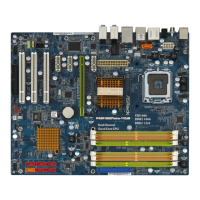
Visual diagram identifying components and connectors on the motherboard.
Description and layout of the motherboard's Input/Output panel ports.
Essential safety and preparation steps before installing hardware components.
Step-by-step guide for installing the CPU onto the motherboard socket.
Instructions for installing DDR3 memory modules into DIMM slots.
Details on connecting internal devices via motherboard headers and connectors.
Guide to configuring SATA hard disks for optimal performance.
Procedures for installing Windows operating systems on SATA/SATAII HDDs.
BIOS setup utility overview, main menu, and navigation key functions.
Configure overclocking features and system performance settings in BIOS.
Access to detailed system configurations like CPU, Chipset, and Storage.
Settings related to CPU features, thermal control, and virtualization.
Monitor system hardware status: CPU temp, fan speed, voltages.
Configure boot device priority and startup behavior.
Guidance for installing supported Microsoft Windows operating systems.
Details the contents of the support CD, including drivers and utilities.
Instructions for installing essential system drivers and useful utilities.
 General
| Form Factor | ATX |
|---|---|
| Chipset | Intel P43 |
| Socket | LGA 775 |
| Memory Slots | 4 |
| Maximum Memory | 16 GB |
| PCI Express x1 | 2 |
| PCI Slots | 2 |
| SATA Ports | 6 |
| SATA RAID | 0, 1, 5, 10 |
| USB Ports | 12 |
| USB 2.0 Ports | 12 |
| Audio Channels | 8 |
| LAN Chipset | Realtek RTL8111DL |
| Max. LAN Speed | 10/100/1000 Mbps |
| PS/2 | 1 |
| Memory Standard | DDR3 |
| PCI Express x16 | 1 |
| Audio Ports | 3 |



 To Next Page

