3636
3636
36
BIOS SETUP UTILITY
Main
Advanced H/W Monitor Boot Security Exit
Overclocking may cause
damage to your CPU and
motherboard.
It should be done at
your own risk and
expense.
Select Screen
Select Item
Enter Go to Sub Screen
F1 General Help
F9 Load Defaults
F10 Save and Exit
ESC Exit
v02.54 (C) Copyright 1985-2005, American Megatrends, Inc.
OC Tweaker
OC Tweaker Settings
Load CPU EZ OC Setting [Press Enter]
CPU Frequency (MHz)
PCIE Frequency (MHz)
Overclock Mode
[133]
[100]
[Auto]
Strap FSB to MCH
Boot Failure Guard
Spread Spectrum
[Auto]
[Enabled]
[Auto]
Ratio CMOS Setting
[9]
DRAM Timing Configuration
DRAM RCOMP and tRD Configuration
DRAM DLL SKEW Configuration
Voltage Configuration
Ratio Actual Value
[8]
DRAM Frequency
DRAM Command Rate
[Auto]
[Auto]
ASRock VDrop Control
[With VDrop]
3.33.3
3.33.3
3.3
OC TOC T
OC TOC T
OC T
weakweak
weakweak
weak
er Screener Screen
er Screener Screen
er Screen
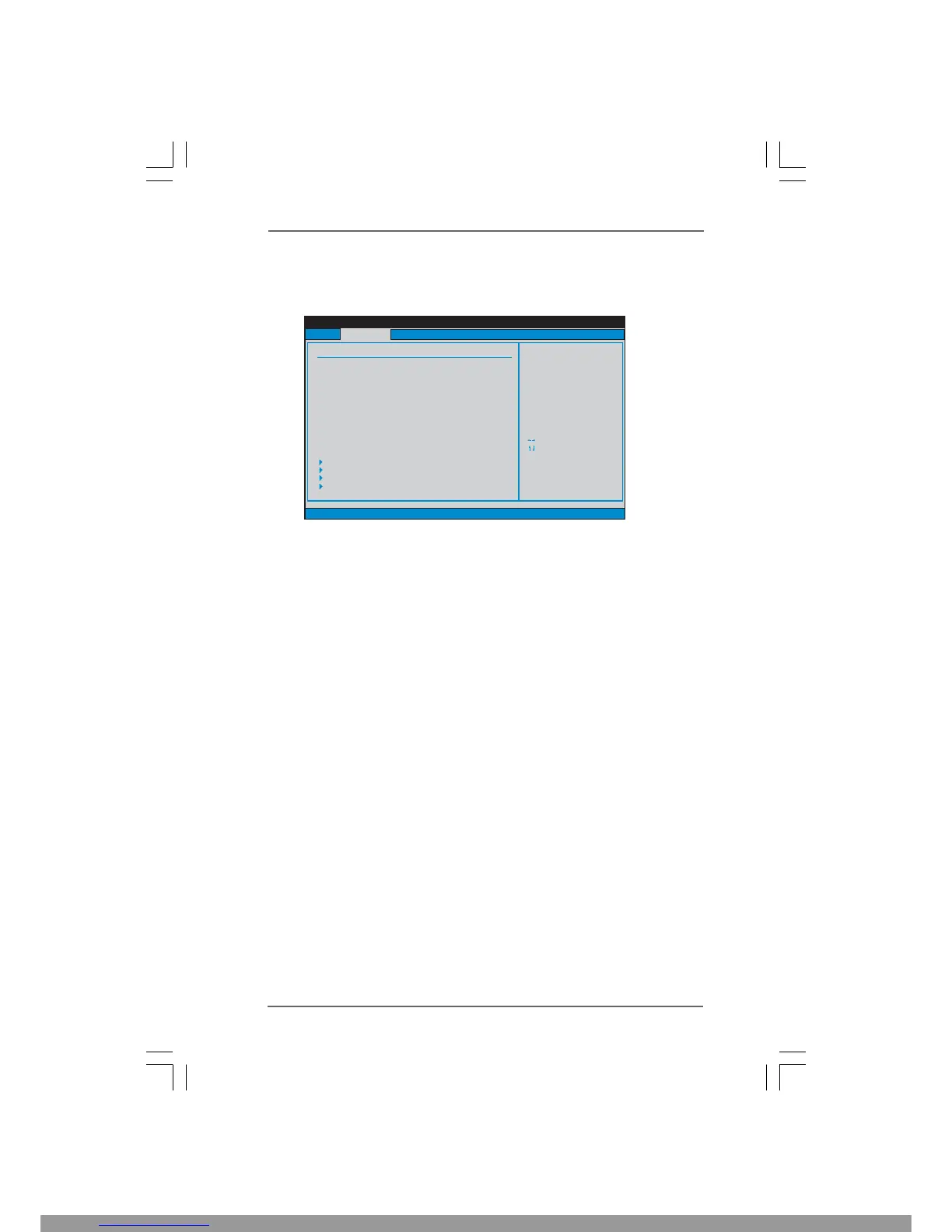
In the OC Tweaker screen, you can set up overclocking features.
Load CPU EZ OC Setting
You can use this option to load CPU EZ overclocking setting. Configuration
options: [CPU 3.00GHz], [CPU 3.20GHz], [CPU 3.40GHz], [CPU 3.60GHz],
[CPU 3.80GHz], [CPU 4.00GHz], [CPU 4.20GHz] and [CPU 4.40GHz]. Please
note that overclocing may cause damage to your CPU and motherboard. It
should be done at your own risk and expense.
Overclock Mode
Use this to select Overclock Mode. Configuration options: [Auto], [Manual],
[I.O.T.] and [Optimized]. The default value is [Auto]. If you select [Manual],
Untied Overclocking function is enabled. Please refer to page 33 for the
details of Untied Overclocking Technology. Therefore, you are allowed to
adjust the Host frequency and PCIE frequency in the following two items.
If you select [I.O.T.] (Intelligent Overclocking Technology), the system will
automatically enable the overclocking function when your CPU is heavy
loaded.
CPU Frequency (MHz)
Use this option to adjust CPU frequency.
PCIE Frequency (MHz)
Use this option to adjust PCIE frequency.
Strap FSB to MCH
Use this item to strap FSB to MCH. Configuration options: [Auto], [800],
[1066], [1333] and [1600].
Boot Failure Guard
Enable or disable the feature of Boot Failure Guard.
Spread Spectrum
This item should always be [Auto] for better system stability.
This Manual: http://www.manuallib.com/file/2441065




 To Next Page