50
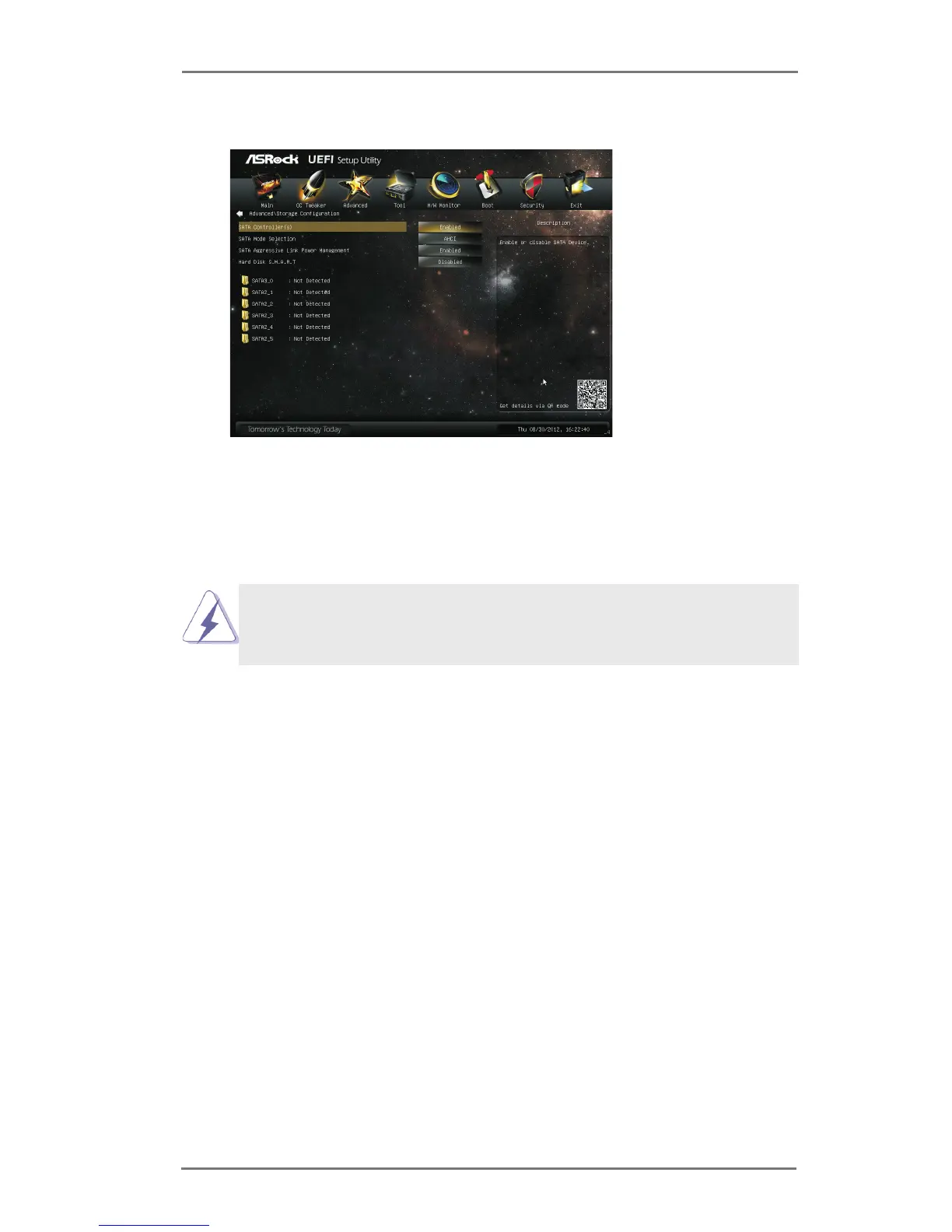
3.4.4 Storage Conguration
SATA Controller(s)
Use this item to enable or disable the SATA Controller feature.
SATA Mode Selection
Use this to select SATA mode. Conguration options: [IDE Mode], [AHCI
Mode] and [Disabled]. The default value is [AHCI Mode].
SATA Aggressive Link Power Management
Use this item to congure Aggressive Link Power Management.
Hard Disk S.M.A.R.T.
Use this item to enable or disable the S.M.A.R.T. (Self-Monitoring, Analy-
sis, and Reporting Technology) feature. Conguration options: [Disabled]
and [Enabled].
AHCI (Advanced Host Controller Interface) supports NCQ and other
new features that will improve SATA disk performance but IDE mode
does not have these advantages.



 To Next Page