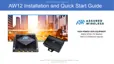
Assured Wireless
AW-12 and AW12-EI
Hardware Troubleshooting Guide
Troubleshooting Guide Introduction ............................................................................................................ 1
Section 1: Troubleshooting the AW12 Power Input When Ethernet Injector (AW12-EI) is Installed .......... 2
Section 2: Troubleshooting AW12 Boot Up ................................................................................................ 3
Section 3: Troubleshooting LTE Network Connections .............................................................................. 4
Section 4: Troubleshooting Interfaces ........................................................................................................ 5
Section 5: Troubleshooting AW12 GPS ...................................................................................................... 6
Appendix A: Reset an AW12 or Ethernet Injector to Factory Default Settings ........................................... 7
Appendix B: Ethernet Injector LED Legend ................................................................................................ 8
Appendix C: AW12 AT Commands for Troubleshooting............................................................................. 9
Troubleshooting Guide Introduction
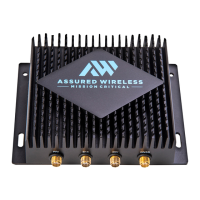
This Troubleshooting Guide applies to AW12 devices. This Guide expects that you or a trusted party has
physical access to the AW12. AW12-EI (“Ethernet Injector”) is a companion product for the AW12 which
provides an ethernet interface and conditions the vehicle power for use by the AW12.
Please complete the troubleshooting steps outlined in this guide before requesting an RMA for a device.
Requests for RMA Authorization should be made to the party that sold you your device and include:
•
For AW12 include the serial number and IMEI.
•
For Ethernet Injector AW12-EI include the serial number.
•
A description of problem symptoms identified with this Troubleshooting Guide.
RMA guidelines:
•
Do not ship products without RMA Authorization.
•
Only ship the AW12 or the AW12-EI
•
Do not ship SIM cards, cables, power supplies, antennas, or other accessories.


 To Next Page