Copyright ©2021 Assured Wireless Corporation. All rights reserved. All information provided here is subject to change
without notice. Assured Wireless and the Assured Wireless logo are trademarks of Assured Wireless Corporation.
assured-wireless.com
aw12vehqsg211
AW12 VEHICLE INSTALLATION KIT
QUICK START GUIDE
6
Install antenna(s)
1 Install the antennas on the roof of the vehicle. For best performance, we recommend you keep at least one
meter of separation between these antennas and any other antennas installed on the roof.
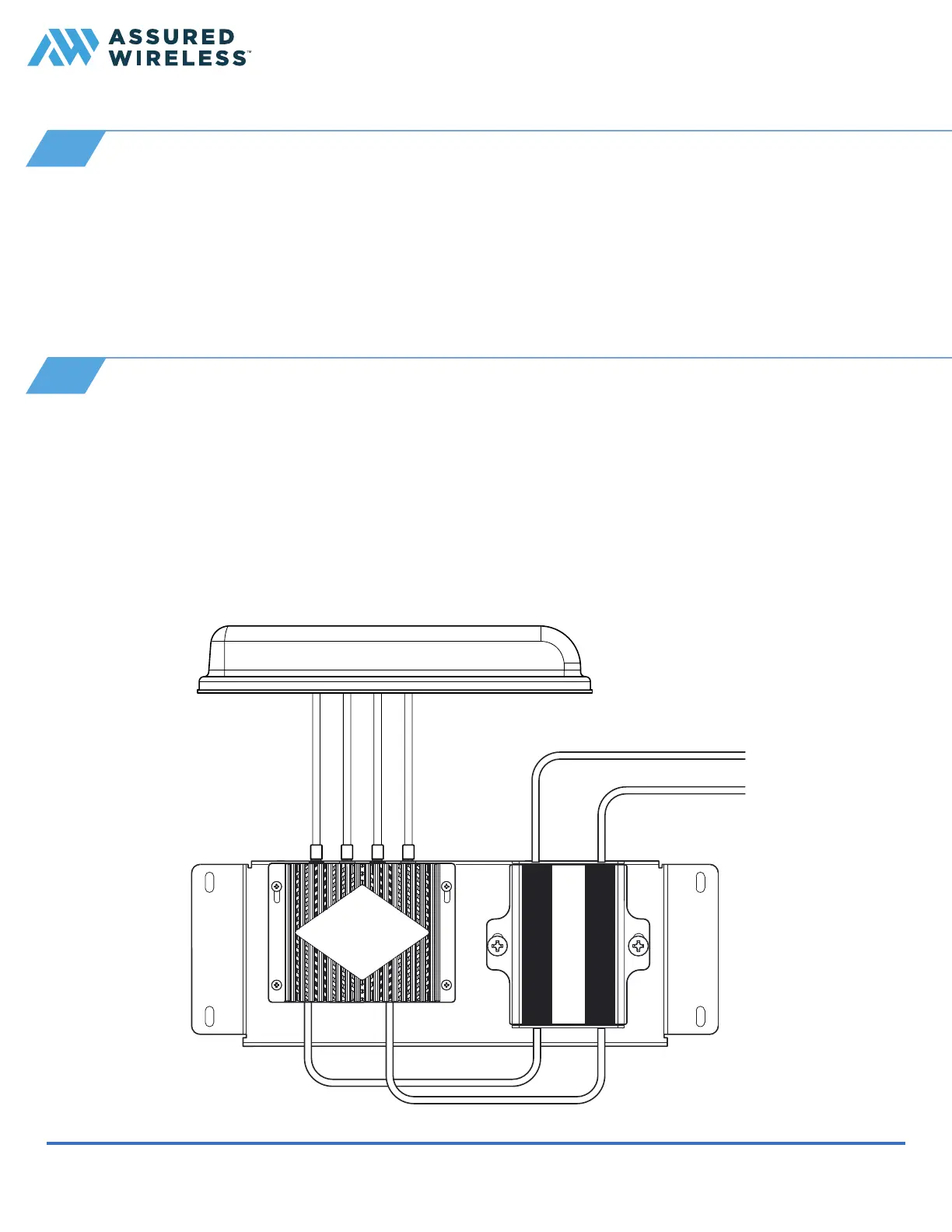
2 Connect the ends of the antenna cables into the four RF jacks on the bottom of the modem as follows:
7
Connect power and Ethernet cables
1 Insert one end of the included Ethernet Cat5e cable into the RJ-45 port labeled PoE+ on the side of the
USB to Ethernet converter.
2 Connect the WAN port of the cable to the router.
3 Locate the DC power cable with the 4-pin Molex connector. Insert that connector into the port labeled PWR
IN on the bottom of the USB to Ethernet converter.
4 Connect the unterminated end of the DC power cable to the power source in the vehicle.
Note. For an AC power source, use the AC power adapter that is included in your vehicle installation kit.
■ P
RI port: LTE-1 cable
■ B14 port: B14 cable
■ DIV port: LTE-2 cable
■ GNSS port: GPS/GNSS cable
Note. See our antenna recommendations at assured-wireless.com/products/antennas.
Antenna
To router
To vehicle power


 To Previous Page