4
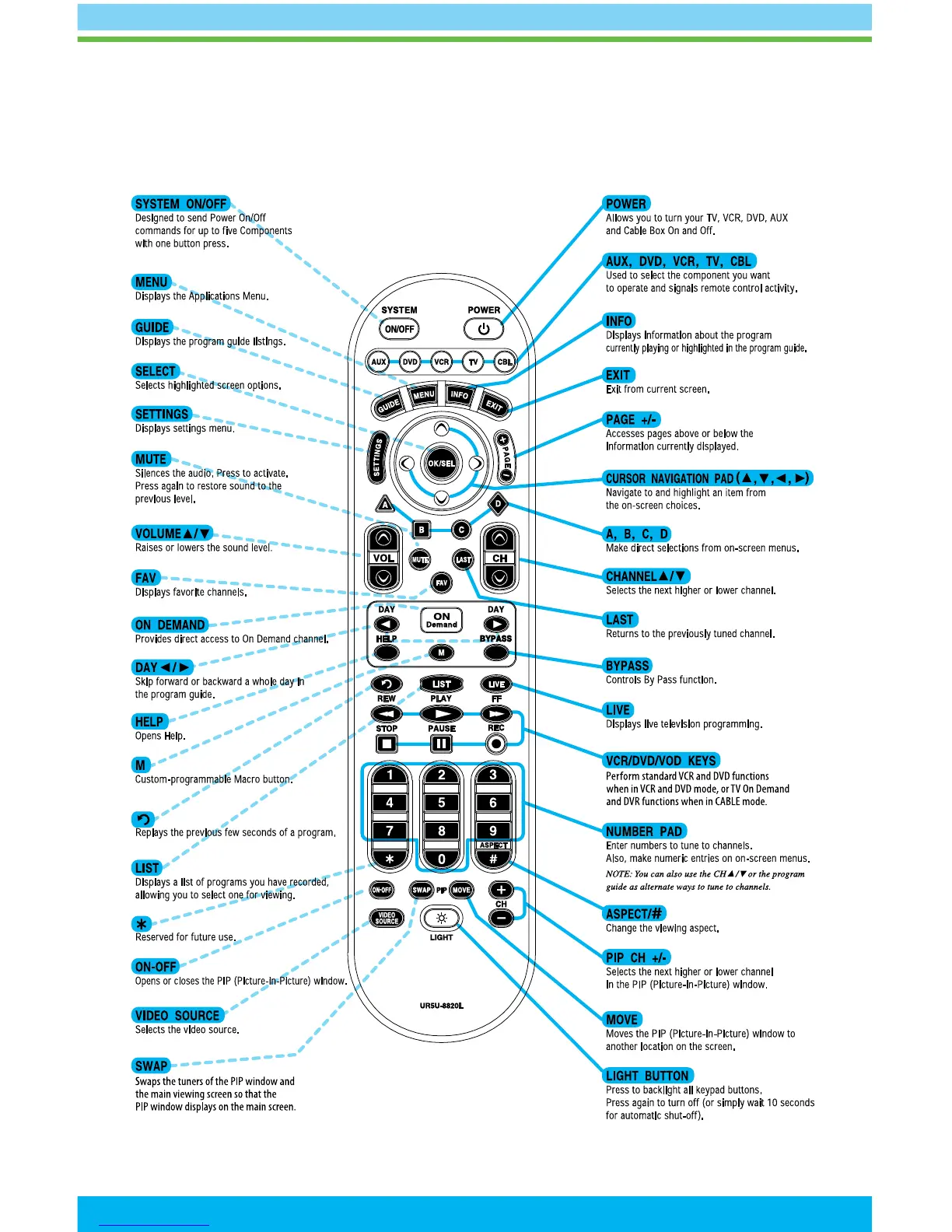
Using Your Remote Control
Note: Your remote may vary from the one shown here; however, the basic functions should remain the same.
To see detailed diagrams of most Astound remotes, please visit astound.net
In the on-screen guide, yellow is the highlight color. To navigate the guide, use the arrows on your
remote control. The highlight appears on-screen to indicate your current selection. Press
buttons
on your remote to move the highlight. Press OK/SELECT to conrm your selection. Press EXIT on your
remote to return to watching TV. For additional settings and information, please visit astound.net.


 To Next Page